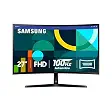
Alienware AW3426DWBest overall
- Resolution
- 3440 x 1440
- Refresh rate
- 280Hz
- Response time
- 0.03ms
- Peak brightness
- 1300 nits
Most recommended by reviewers
Check price at Amazon


How we make money. If you buy through our links we may earn a commission. It never changes what we recommend. Learn more ›
We earn a commission when you buy through our links, at no extra cost to you. How this works.
If you want a big, curved screen that makes games and films look rich and deep, a 34 inch OLED ultrawide is the category to shop. The best option for most people is the Alienware AW3426DW, which pairs a 280Hz refresh rate with a true-black HDR panel and a 3-year warranty that covers burn-in.
Below, the other picks cover a cheaper Alienware, a high-refresh MSI model, an ASUS option with USB-C, and a faster 360Hz ASUS for competitive players.
1 Alienware AW3426DW | 2 Alienware AW3425DW | 3 MSI MAG 341CQP | 4 ASUS ROG Strix XG34WCDMS | 5 ASUS ROG PG34WCDN | |
|---|---|---|---|---|---|
| Best for | Best overall | Best value Alienware | Best high refresh | Best for USB-C and creators | Fastest refresh |
| Resolution | 3440 x 1440 | 3440 x 1440 | 3440 x 1440 | 3440 x 1440 | 3440 x 1440 |
| Refresh rate | 280Hz | 240Hz | 280Hz | 280Hz | 360Hz |
| Response time | 0.03ms | 0.03ms | 0.03ms | 0.03ms | 0.03ms |
| Curve | 1800R | 1800R | 1800R | Not listed | Not listed |
| Colour coverage | Not listed | 99.3% DCI-P3 | Not listed | 99% DCI-P3 | 99% DCI-P3 |
| HDR | Not listed | DisplayHDR TrueBlack 400 | Not listed | DisplayHDR 500 True Black | DisplayHDR 500 True Black |
| Check price at Amazon | Check price at Amazon | Check price at Amazon | Check price at Amazon | Check price at Amazon |
Alienware AW3426DWBest overallMost recommended by reviewers
Check price at Amazon Alienware AW3425DWBest value Alienware
 MSI MAG 341CQPBest high refresh
 ASUS ROG Strix XG34WCDMSBest for USB-C and creators
 ASUS ROG PG34WCDNFastest refresh


A 280Hz ultrawide OLED with a 3-year warranty that covers burn-in, a strong pick for fast gaming.
Most recommended by reviewers
Check price at AmazonPrices and availability on Amazon change often.
The Alienware AW3426DW is our pick for the best 34-inch OLED, because it pairs a 280Hz refresh with 0.03ms response and a 1300-nit peak brightness in one ultrawide 1800R curve.
The 280Hz refresh rate and 0.03ms response make motion look crisp in fast games, and the 1300-nit peak brightness and DisplayHDR True Black 500 rating give HDR scenes real punch. Dolby Vision support and an anti-burn-in graphite sheet add to its appeal. Its RGB stripe subpixel layout is listed as improving text clarity, and it ships with a 3-year warranty that includes burn-in.
The main trade-off is price, which sits above the cheaper 240Hz Alienware AW3425DW. If you want to spend less, that model still offers QD-OLED colour with a Delta E under 2. If you want more brightness, the MSI MAG 341CQP matches the 1300-nit peak at the same 280Hz.
If it's not for you, the Alienware AW3425DW suits buyers who want QD-OLED colour for less at 240Hz, while the ASUS ROG Strix XG34WCDMS suits laptop users and creators who need USB-C.


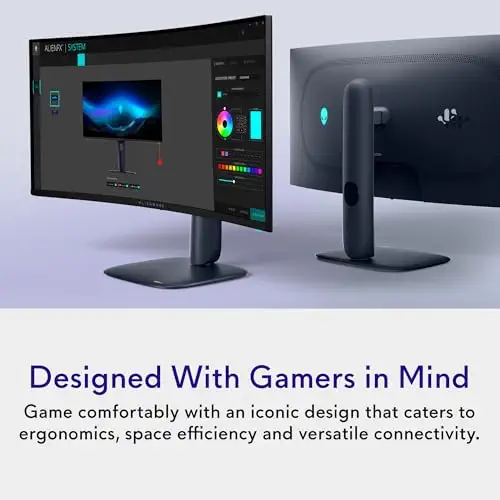


An earlier Alienware QD-OLED at 240Hz, a good buy if you want the brand for less.
Prices and availability on Amazon change often.


A 280Hz tandem OLED with a darker film for better blacks.
Prices and availability on Amazon change often.


A 280Hz OLED with USB-C and strong colour accuracy for editing.
Prices and availability on Amazon change often.


A 360Hz ultrawide OLED for competitive players who want the highest refresh rate.
Prices and availability on Amazon change often.
A 34 inch OLED suits people who game or watch films on a desk and want a wide, immersive picture. Its deep blacks and strong contrast make dark scenes look richer than on most LCD monitors.
Skip OLED if the screen will show static images for hours, such as spreadsheets or a fixed taskbar, since burn-in is a real risk even with protection. A cheaper LCD may suit that use better.
Not usually. A 34 inch ultrawide shows a wider view that many games support. You need a desk deep enough to sit about an arm's length away. Smaller screens suit tight desks better.
They can be, but a 34 inch OLED at 1440p is sharper and more immersive. A 1080p screen is a budget choice for lower-cost builds rather than a premium gaming setup.
Burn-in is possible if static images stay on screen for long periods. The picks here include burn-in protection and warranty cover, which lowers the risk for normal use.
Why trust ConsumerEcho
We started from five Amazon listings for 5 inch OLED monitors, all checked to be in stock. We weighed the specs listed on each product and what owners and reader discussions say about panel quality, burn-in and colour accuracy.
Our expert team tests products when it is needed and researches online and in interviews. Every guide is fact-checked and edited by a real person.
The ConsumerEcho editorial team · Updated Nov 21, 2026
How we pickEditorial standardsAffiliate disclosureReport a mistake
We earn a commission when you buy through our links, at no extra cost to you. It never decides the winner.