INNOCN 2780SBest value
- Size
- 27 inch
- Resolution
- 2560 x 1440
- Refresh rate
- 240Hz
- Response time
- 0.03ms
Most recommended by reviewers
Check price at Amazon


How we make money. If you buy through our links we may earn a commission. It never changes what we recommend. Learn more ›
We earn a commission when you buy through our links, at no extra cost to you. How this works.
If you want to play a PS5 on an OLED monitor, you're looking for deep blacks and fast motion without paying for a desk-sized screen. The question is which size and resolution make sense for a console.
Our top pick is the INNOCN 27-inch QD-OLED, which is compatible with PS5 and comes in at a lower price than the ASUS options. The two ASUS ROG models cover a 4K upgrade and a higher-end QHD option with burn-in protection.
1 INNOCN 2780S | 2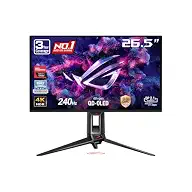 ASUS ROG PG27UCDM | 3 ASUS ROG XG27AQDMGR | |
|---|---|---|---|
| Best for | Best value | Best 4K upgrade | Best mid-range |
| Size | 27 inch | 27 inch (26.5 inch listed) | 27 inch (26.5 inch listed) |
| Resolution | 2560 x 1440 | 3840 x 2160 | 2560 x 1440 |
| Refresh rate | 240Hz | 240Hz | 240Hz |
| Response time | 0.03ms | 0.03ms | 0.03ms |
| Panel | QD-OLED | 4th-gen QD-OLED | TrueBlack Glossy WOLED |
| Check price at Amazon | Check price at Amazon | Check price at Amazon |
INNOCN 2780SBest valueMost recommended by reviewers
Check price at Amazon ASUS ROG PG27UCDMBest 4K upgrade
 ASUS ROG XG27AQDMGRBest mid-range


A 27-inch QD-OLED at 1440p and 240Hz, with HDMI 2.1 for PS5 at a lower price.
Most recommended by reviewers
Check price at AmazonPrices and availability on Amazon change often.
For a PS5 owner who wants an OLED without spending a fortune, the INNOCN 2780S is the pick we'd choose for this search.
The INNOCN pairs a QD-OLED panel with deep blacks and a 240Hz refresh rate, and it includes an HDMI 2.1 input, which is the port that carries high-refresh gaming from the PS5. Its 0.03ms response time keeps fast motion clean, and it is the lowest-priced pick on the shortlist. Owner reports were not available for this model, so these impressions come from its specs and listed features.
At 1440p on a 27-inch screen, text and fine detail look less sharp than on a 4K panel. That is the main trade-off for the lower price. If you want the sharpest image, the 4K option on the list is the step up, though it costs more than three times as much.
If it's not for you, the ASUS ROG PG27UCDM suits buyers who want 4K sharpness and a longer warranty and can pay for it, while the ASUS ROG XG27AQDMGR is a mid-range 1440p option with a WOLED panel and a DisplayHDR 400 True Black rating.
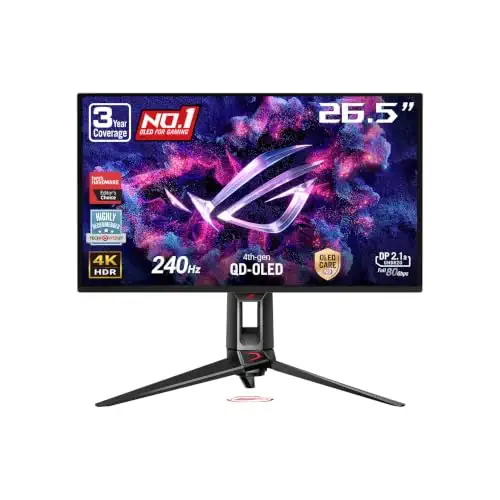


A sharp 4K OLED with DisplayPort 2.1 and the latest burn-in protection.
Prices and availability on Amazon change often.


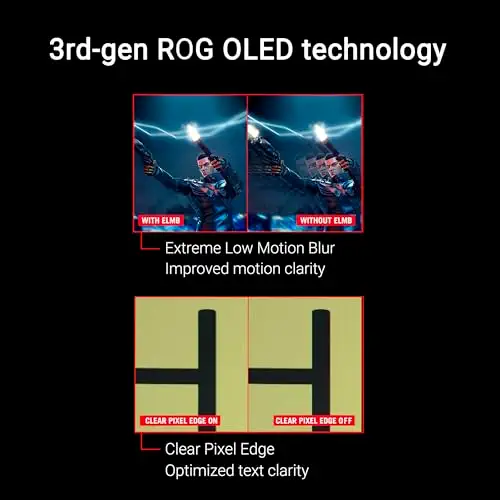

A mid-priced QHD OLED with DisplayHDR 400 and burn-in protection.
Prices and availability on Amazon change often.
Choose the INNOCN if the budget is the main limit. Choose the ASUS QHD model for a better panel type at a mid-range price. Choose the 4K ASUS if the screen will also be used for text work.
Yes. The PS5 works with OLED monitors that have an HDMI 2.1 port. The INNOCN and ASUS models in this guide list PS5 compatibility.
A 144Hz monitor can display 120fps from the PS5 if it accepts a 120Hz signal. The picks in this guide run at 240Hz, so they handle 120fps without issue.
A 1080p monitor will run PS5 games, but text and detail look softer on a 27-inch screen. The picks here start at 1440p.
Why trust ConsumerEcho
The shortlist is built from current Amazon listings that are in stock, with specs taken from each listing. Community discussions were checked for owner experience with OLED burn-in, colour fringing and calibration.
Our expert team tests products when it is needed and researches online and in interviews. Every guide is fact-checked and edited by a real person.
The ConsumerEcho editorial team · Updated Nov 21, 2026
How we pickEditorial standardsAffiliate disclosureReport a mistake
We earn a commission when you buy through our links, at no extra cost to you. It never decides the winner.