
 ASUS ProArt PA279CRVBest overall
- Resolution
- 3840 x 2160 (4K)
- Adobe RGB coverage
- 99%
- DCI-P3 coverage
- 99%
- Color accuracy
- Delta E under 2, factory calibrated
Most recommended by reviewers
Check price at Amazon


How we make money. If you buy through our links we may earn a commission. It never changes what we recommend. Learn more ›
We earn a commission when you buy through our links, at no extra cost to you. How this works.
If you edit photos or prepare print work, a monitor that shows Adobe RGB matters, because it lets you see the colors a printer can actually reproduce. Most budget screens fall short here, so the right choice starts with a wide color gamut you can trust.
Our top pick is the ASUS ProArt PA279CRV. It combines 99% Adobe RGB coverage, factory calibration to Delta E under 2, and USB-C power delivery in a monitor that suits a creative desk. The other picks cover a lower price and a more fully featured workstation setup.
1 ASUS ProArt PA279CRV | 2 Acer ProDesigner PE270K | 3 BenQ PD2732U | |
|---|---|---|---|
| Best for | Best overall | Best budget | Best for Mac and Thunderbolt workstations |
| Resolution | 3840 x 2160 (4K) | 3840 x 2160 (4K), up to 144Hz in 1080p mode | 3840 x 2160 (4K) |
| Adobe RGB coverage | 99% | 99% | 99% |
| DCI-P3 coverage | 99% | 96% | Not listed |
| Color accuracy | Delta E under 2, factory calibrated | Delta E under 1, Calman verified (Adobe RGB mode) | Delta E 2 or less, Calman verified, Pantone validated |
| Connectivity | USB-C with 96W Power Delivery, DisplayPort, HDMI, USB hub | USB-C with 90W Power Delivery, DisplayPort 1.4, HDMI 2.1, daisy chain | Thunderbolt 4 with up to 90W charging, daisy chain, built-in KVM |
| Check price at Amazon | Check price at Amazon | Check price at Amazon |
ASUS ProArt PA279CRVBest overallMost recommended by reviewers
Check price at Amazon Acer ProDesigner PE270KBest budget
 BenQ PD2732UBest for Mac and Thunderbolt workstations


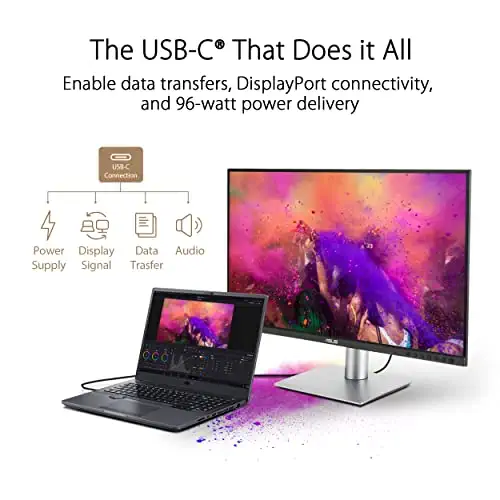
A 27-inch 4K monitor for photo and print work, with 99% Adobe RGB and factory calibration to Delta E under 2.
Most recommended by reviewers
Check price at AmazonPrices and availability on Amazon change often.
The ASUS ProArt PA279CRV is our top pick for Adobe RGB work, pairing 99% Adobe RGB and 99% DCI-P3 coverage with a factory calibration to Delta E under 2.
Color-critical users will appreciate that the 27-inch 4K panel arrives factory calibrated and Calman verified, so it is ready for print or video work straight out of the box. Its USB-C port delivers 96W of Power Delivery, the most of any pick here, so a laptop can charge over the same cable that carries the picture. The five-year warranty, with registration, is also the longest of the group.
Driving the 4K resolution smoothly at high refresh rates takes a capable graphics card. Since this is a color-first screen, that matters less for most buyers, but gamers should look elsewhere.
If it's not for you, the Acer ProDesigner PE270K suits buyers on a budget who want 99% Adobe RGB plus a built-in KVM switch, and the BenQ PD2732U suits Mac and Thunderbolt workstation users willing to pay more.


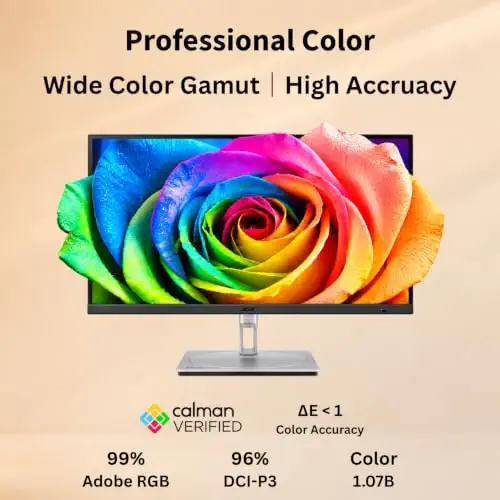


A lower-priced 27-inch 4K monitor with 99% Adobe RGB and a built-in KVM switch for two computers.
Prices and availability on Amazon change often.


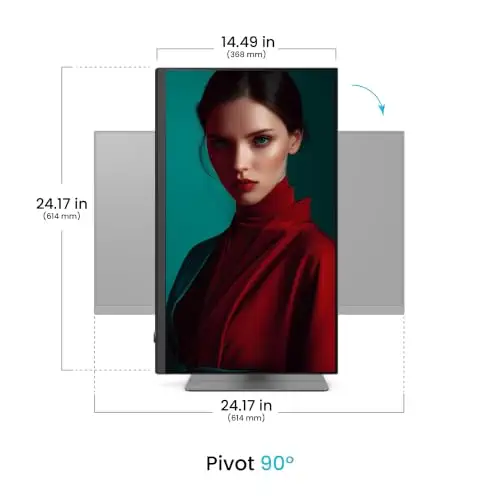
A 27-inch 4K monitor with 99% Adobe RGB and Thunderbolt 4, built for Mac users who edit and proof color.
Prices and availability on Amazon change often.
An Adobe RGB monitor matters most if you prepare images for professional printing or edit wide-gamut photos. For casual browsing or gaming, a standard sRGB screen is usually enough, and the extra gamut can make ordinary content look less natural.
In community discussions, readers stress that a monitor's color depends on its settings as well as its panel. One thread notes that sRGB or HDR modes can clamp the color space, and that graphics card output range should be set to Full. Calibrating with a colorimeter and software such as DisplayCAL is the most reliable way to compare screens.
Use Adobe RGB when you need to match colors for print or wide-gamut editing. For web content and everyday use, sRGB is the safer default, since most content is made for it.
A 27-inch screen is a popular choice for photo editing because it gives enough space for detail without needing too much desk room. The 4K picks above give sharper detail at that size.
For color accuracy, the ASUS ProArt PA279CRV is our top pick, with 99% Adobe RGB coverage and factory calibration to Delta E under 2. Picture quality also depends on how the monitor is calibrated for your room.
Why trust ConsumerEcho
The shortlist is built from three Amazon listings that are in stock now, each claiming 99% Adobe RGB coverage. We weighed the stated color accuracy, the connectivity you need for a desk setup, and what owners and monitor enthusiasts say about color in community discussions.
Our expert team tests products when it is needed and researches online and in interviews. Every guide is fact-checked and edited by a real person.
The ConsumerEcho editorial team · Updated Nov 15, 2026
How we pickEditorial standardsAffiliate disclosureReport a mistake
We earn a commission when you buy through our links, at no extra cost to you. It never decides the winner.
 The Best 27 Inch Monitors With Camera and Speakers
 The Best Gaming Monitor For Xbox Xes
 The Best Gaming Monitors for 2026
 The Best OLED Monitors for Your Xbox Series X
 The Best Curved Gaming Monitors With Built-In Speakers
 The Best 3D Printer Scanners
 The Best Acer All-in-One Desktops
 The Best Android MP3 Players
