
 ASUS TUF VG27UQ1ABest overall
- Resolution
- 3840 x 2160 (4K)
- Refresh rate
- 160Hz
- Panel
- Fast IPS, 1ms
- HDR
- HDR, 95% DCI-P3
Most recommended by reviewers
Check price at Amazon


How we make money. If you buy through our links we may earn a commission. It never changes what we recommend. Learn more ›
We earn a commission when you buy through our links, at no extra cost to you. How this works.
If you're hooking an Xbox Series X up to a monitor, the spec that matters most is HDMI 2.1, since that's what unlocks refresh rates above 60Hz on a console. We narrowed the list to monitors in stock now that support it, then looked at panel type, resolution and how each one handles the Xbox's 16:9 picture.
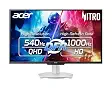
Our No. 1 pick is the ASUS TUF VG27UQ1A. It pairs a 4K panel with a 160Hz refresh rate, HDR and a fast IPS panel, so it covers both sharp visuals and smooth motion on console. The other two picks trade resolution and refresh rate for a different budget or size.
1 ASUS TUF VG27UQ1A | 2 Samsung Odyssey G7 | 3 LG UltraGear 27G810A-B | |
|---|---|---|---|
| Best for | Best overall | Best big screen | Best flexible performance |
| Resolution | 3840 x 2160 (4K) | 3840 x 2160 (4K) | 4K UHD (3840 x 2160) |
| Refresh rate | 160Hz | 165Hz | 180Hz (4K) or 360Hz (1080p) |
| Panel | Fast IPS, 1ms | Not listed | IPS, 1ms GtG |
| HDR | HDR, 95% DCI-P3 | VESA DisplayHDR 600 | VESA DisplayHDR 400 |
| Check price at Amazon | Check price at Amazon | Check price at Amazon |
ASUS TUF VG27UQ1ABest overallMost recommended by reviewers
Check price at Amazon Samsung Odyssey G7Best big screen
 LG UltraGear 27G810A-BBest flexible performance


A 27-inch 4K monitor with 160Hz and HDR, built for both PC and console.
Most recommended by reviewers
Check price at AmazonPrices and availability on Amazon change often.
For an Xbox Series X, the ASUS TUF VG27UQ1A is our top pick, pairing 4K resolution with a 160Hz refresh rate on a fast IPS panel.
The 27-inch 4K panel runs at 160Hz with a 1ms Fast IPS response, which makes it a strong match for a console that can push high frame rates. It also carries HDR and 95% DCI-P3 colour coverage, so games look vivid. ASUS includes ELMB Sync alongside NVIDIA G-SYNC Compatible and AMD FreeSync Premium, which helps keep motion clean and tear-free.
The listing does not clearly confirm HDMI 2.1, which the Xbox Series X relies on for 4K at high refresh rates, so check that spec before buying. If you want that confirmed, the LG UltraGear 27G810A-B lists HDMI 2.1 and works well for flexible play. If it's not for you, the Samsung Odyssey G7 suits players wanting a big curved screen, though it costs considerably more.
If it's not for you, the LG UltraGear 27G810A-B suits players who want HDMI 2.1 confirmed and like switching between 4K at 180Hz and 1080p at 360Hz, while the Samsung Odyssey G7 suits those who want a large 37-inch curved display.


A 37-inch curved 4K monitor at 165Hz for players who want the biggest picture.
Prices and availability on Amazon change often.


A 27-inch 4K monitor that switches between 4K 180Hz and 1080p 360Hz.
Prices and availability on Amazon change often.
Look for HDMI 2.1 first, since it is needed for refresh rates above 60Hz on the Xbox. Then choose the resolution and size based on how far you sit from the screen. Always check the listing for HDMI 2.1 before buying.
Portable monitors can work with an Xbox, but only if they have an HDMI input. Check the listing for HDMI support and the maximum refresh rate.
Yes. The Xbox Series S can output 1440p, though it runs games at lower internal resolution than the Series X. Choose a monitor with HDMI support for the best result.
It depends on the game. 1440p at 120Hz gives smoother motion, while 4K 60Hz gives more detail. Most players benefit more from the higher refresh rate in fast games.
Why trust ConsumerEcho
We built this shortlist from three Amazon listings that are in stock now, checked against the HDMI 2.1, refresh rate and panel details that matter for Xbox Series X. The picks also reflect what owners and reviewers said about input lag, uniformity and console use.
Our expert team tests products when it is needed and researches online and in interviews. Every guide is fact-checked and edited by a real person.
The ConsumerEcho editorial team · Updated Nov 15, 2026
How we pickEditorial standardsAffiliate disclosureReport a mistake
We earn a commission when you buy through our links, at no extra cost to you. It never decides the winner.
 The Best 27 Inch Monitors With Camera and Speakers
 The Best Gaming Monitors for 2026
 The Best OLED Monitors for Your Xbox Series X
 The Best Curved Gaming Monitors With Built-In Speakers
 The Best 3D Printer Scanners
 The Best Android MP3 Players
 The Best Angels Horn Turntables
 The Best 3D Printers for D&D Miniatures
