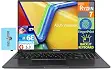
GIGABYTE AORUS Master 16Best overall
- Graphics
- NVIDIA GeForce RTX 5090 Laptop GPU, up to 175W
- Processor
- AMD Ryzen 9 9955HX3D, 16 cores
- Memory
- 32GB DDR5
- Storage
- 2TB SSD
Most recommended by reviewers
Check price at Amazon


How we make money. If you buy through our links we may earn a commission. It never changes what we recommend. Learn more ›
 GIGABYTE AORUS Master 16Best overallRunner-up2
 ASUS ROG Zephyrus Duo 16Best for multitasking
We earn a commission when you buy through our links, at no extra cost to you. How this works.
If you want the RTX 5090 in a laptop, you are buying the most powerful mobile graphics chip NVIDIA makes, and that comes with trade-offs in weight, heat and price. Most buyers want one machine that games hard and still handles school or work, so the choice is about how much portability you can give up.
Our top pick is the GIGABYTE AORUS Master 16 GEN 2. It pairs the RTX 5090 with a 240Hz 2560x1600 screen, a Ryzen 9 9955HX3D and 32GB of memory, and it is the most balanced option on the list. The other picks cover a dual-screen design, a larger 18-inch gaming build, a thinner 18-inch machine and a budget-minded RTX 5090 option.
1 GIGABYTE AORUS Master 16 | 2 ASUS ROG Zephyrus Duo 16 | 3 ASUS ROG Strix SCAR 18 | 4 ASUS ROG Strix SCAR 18 | 5 GIGABYTE AORUS Master 18 | |
|---|---|---|---|---|---|
| Best for | Best overall | Best for multitasking | Best big screen | Best for newest specs | Best for thin and sleek |
| Graphics | NVIDIA GeForce RTX 5090 Laptop GPU, up to 175W | NVIDIA GeForce RTX 5090 Laptop GPU | NVIDIA GeForce RTX 5090 Laptop GPU, 175W TGP | NVIDIA GeForce RTX 5090 Laptop GPU | NVIDIA GeForce RTX 5090 Laptop GPU |
| Processor | AMD Ryzen 9 9955HX3D, 16 cores | Intel Core Ultra 9 386H, 16 cores | Intel Core Ultra 9 275HX | Intel Core Ultra 9 290HX Plus | Intel Core Ultra 9 275HX |
| Memory | 32GB DDR5 | 32GB LPDDR5X | 32GB DDR5-5600 | 32GB DDR5-6400 | 64GB DDR5 |
| Storage | 2TB SSD | 1TB PCIe 4.0 SSD | 2TB PCIe Gen 4 SSD | 1TB PCIe Gen 4 SSD | 2TB SSD |
| Display | 16-inch 2560x1600, 240Hz | Dual 16-inch 3K OLED touchscreens | 18-inch 2.5K, 240Hz, Mini LED | 18-inch 4K, 240Hz, Mini LED | 18-inch 2560x1600, 240Hz, Mini-LED |
| Operating system | Windows 11 Home | Windows 11 (Copilot+ PC) | Windows 11 Pro | Not listed | Windows 11 Home |
| Check price at Amazon | Check price at Amazon | Check price at Amazon | Check price at Amazon | Check price at Amazon |
GIGABYTE AORUS Master 16Best overallMost recommended by reviewers
Check price at Amazon ASUS ROG Zephyrus Duo 16Best for multitasking
 ASUS ROG Strix SCAR 18Best big screen
 ASUS ROG Strix SCAR 18Best for newest specs
 GIGABYTE AORUS Master 18Best for thin and sleek


A balanced 16-inch RTX 5090 laptop with a fast 240Hz display and strong cooling for everyday gaming and work.
Most recommended by reviewers
Check price at AmazonPrices and availability on Amazon change often.
For a buyer who wants an RTX 5090 laptop that is fast for gaming without the bulk of an 18-inch machine, the GIGABYTE AORUS Master 16 GEN 2 is our pick.
The GIGABYTE AORUS Master 16 GEN 2 pairs its RTX 5090 Laptop GPU, rated up to 175W, with the AMD Ryzen 9 9955HX3D, a 16-core processor with 3D V-Cache that the listing links to significant FPS gains in top games. The 16-inch 2560x1600 panel refreshes at 240Hz, and 2TB of SSD storage leaves plenty of room for a large game library. Its 230W total system power and a large vapor chamber with a 160-blade fan are built to keep the GPU running hard.
Heat and fan noise under sustained load are the main downside here, and reader discussions name them as the usual trade-off with gaming laptops in general. The 32GB of memory is also less than the 64GB offered by the AORUS MASTER 18, so heavy multitasking buyers may want to look there.
If it's not for you, the ASUS ROG Zephyrus Duo 16 suits multitaskers who want a second 16-inch touchscreen, and the GIGABYTE AORUS MASTER 18 suits buyers who need 64GB of memory and don't mind an 18-inch chassis.


A dual-screen RTX 5090 laptop built for games, streams and extra workspace on one machine.
Prices and availability on Amazon change often.


An 18-inch RTX 5090 gaming laptop with a 240Hz Mini LED display and tool-free upgrades.
Prices and availability on Amazon change often.


The 2026 SCAR 18 with a 4K 240Hz Mini LED panel and dual Thunderbolt 5 ports.
Prices and availability on Amazon change often.


An 18-inch RTX 5090 laptop with a deep 5 degree black finish and a 240Hz Mini-LED screen.
Prices and availability on Amazon change often.
The AORUS Master 16 suits most buyers who want one machine for gaming and work. The Zephyrus Duo suits people who want extra screen space. The 18-inch models suit desk-based setups where screen size and upgrades matter more than portability.
If you mostly carry a laptop or need a long battery life, a laptop with a lower-tier GPU will be easier to live with. Reader discussions note that mobile GPUs are not on par with their desktop counterparts, and that heat is the main issue in gaming laptops, so a desktop may be the better buy if raw performance is the goal.
The RTX 5090 is the most powerful laptop GPU NVIDIA sells, and it is what this guide covers. For the best balance of performance and portability, the AORUS Master 16 is the top pick.
The laptop version is a mobile chip, so it is not the same as the desktop RTX 5090. Reader discussions note mobile GPUs are not on par with desktop counterparts, so expect lower sustained performance than a desktop card.
The RTX 5090 is NVIDIA's top consumer GPU for desktops and the highest-end option in laptops, so it is the most powerful card in its class. It is also the most expensive, so check whether the performance matters for your use.
NVIDIA makes the GPUs, not the laptops. The machines on this page are built by brands such as ASUS and GIGABYTE, which put NVIDIA chips in their designs.
Why trust ConsumerEcho
The shortlist starts from five Amazon listings that carry the RTX 5090 laptop GPU, each checked for stock and price. We weighed the processor, memory, display and cooling each one lists, and used reader discussions of how these machines run in real life.
Our expert team tests products when it is needed and researches online and in interviews. Every guide is fact-checked and edited by a real person.
The ConsumerEcho editorial team · Updated Nov 15, 2026
How we pickEditorial standardsAffiliate disclosureReport a mistake
We earn a commission when you buy through our links, at no extra cost to you. It never decides the winner.