
 ASUS Vivobook 16 BusinessBest overall
- Processor
- AMD Ryzen 7 7730U
- Memory
- 16GB DDR4
- Storage
- 1TB PCIe NVMe SSD
- Display
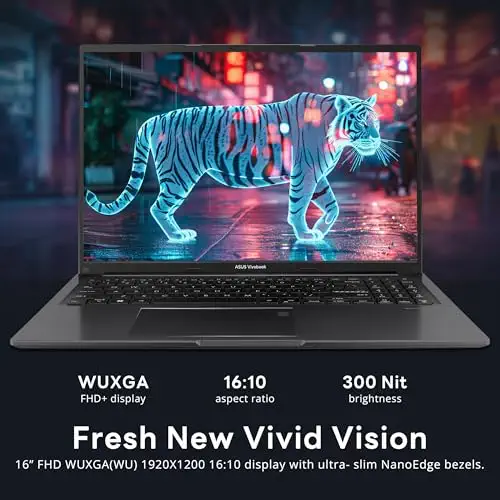
- 16.0-inch IPS WUXGA, 60Hz
Most recommended by reviewers
Check price at Amazon


How we make money. If you buy through our links we may earn a commission. It never changes what we recommend. Learn more ›
We earn a commission when you buy through our links, at no extra cost to you. How this works.
Working from home on an ASUS laptop comes down to a few things: enough memory to keep several apps open, storage that fits your files, and a price that makes sense. Most people do fine with 16GB of RAM and a 512GB or larger drive.
Our top pick is the ASUS Vivobook 16 with a Ryzen 7 processor, 16GB of memory and 1TB of storage. It suits anyone who wants the most room to multitask for the money. The other two picks cover a budget option and a larger-screen Intel model.
1 Vivobook 16 Business | 2 Vivobook 16 | 3 Vivobook 15 | |
|---|---|---|---|
| Best for | Best overall | Best for a full desk setup | Best budget pick |
| Processor | AMD Ryzen 7 7730U | Intel Core i7-1355U | Intel Core 3 100U |
| Memory | 16GB DDR4 | 16GB DDR4 | 8GB DDR5 |
| Storage | 1TB PCIe NVMe SSD | 512GB SSD plus 1TB via docking station | 256GB SSD plus 512GB docking set |
| Display | 16.0-inch IPS WUXGA, 60Hz | 16-inch WUXGA | 15.6-inch FHD IPS |
| Check price at Amazon | Check price at Amazon | Check price at Amazon |
ASUS Vivobook 16 BusinessBest overallMost recommended by reviewers
Check price at Amazon ASUS Vivobook 16Best for a full desk setup
 ASUS Vivobook 15Best budget pick
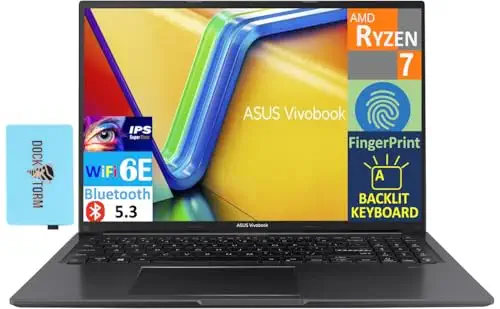


A 16-inch work laptop with a Ryzen 7 chip, 16GB of memory and 1TB of storage.
Most recommended by reviewers
Check price at AmazonPrices and availability on Amazon change often.
For a work-from-home setup, the ASUS Vivobook 16 Business Laptop with the Ryzen 7 is our top pick, because it pairs 16GB of memory with a 1TB drive in a single machine.
The 16GB of memory keeps browser tabs, video calls and spreadsheets running together without fuss, and the 1TB PCIe NVMe drive leaves room for years of files. Reviewers describe the Vivobook series as an ideal choice for remote workers, and this model adds a USB hub and HDMI output for a monitor. The ErgoLift hinge raises the keyboard at an angle when the lid opens, which reviewers note helps comfortable typing. Owners on r/laptops report that one long-term owner still has their Vivobook running well after months of use, and another chose it because ASUS subjects these models to military-standard drop testing.
The 60Hz display and 42 Wh battery are modest, so expect to plug in during long days. Reviewers estimate 6 to 8 hours of battery life for basic work use. The listing notes the seal is opened for a hardware and software upgrade, so check the warranty terms before you buy.
If it's not for you, the ASUS Vivobook 16 with Intel Core i7 suits people who want a docking station setup for a full desk, while the Vivobook 15 with Intel Core 3 is the budget choice, though its 8GB of memory is tight for many open apps.


A 16-inch Intel Core i7 laptop with 16GB of memory, a backlit keyboard and a docking station included.
Prices and availability on Amazon change often.


A 15.6-inch work laptop with 8GB of memory and a docking set, at a lower price.
Prices and availability on Amazon change often.
Choose the top pick if you run several work programs at once. Choose the budget option if you mostly use email, documents and video calls, and can accept 8GB of memory.
For work from home, ASUS offers good value in the mid-range. The Vivobook line is a budget-friendly choice; you give up some premium build quality and battery life compared with high-end ultrabooks, but you get solid performance for the price.
Neither brand is better across the board. ASUS Vivobooks are strong on value and upgradeable memory, while HP laptops differ by model. Compare the processor, memory and storage of the specific models you're considering.
8GB covers basic tasks like email and documents. For several apps open at once or heavier files, aim for 16GB, which all three picks on this page include or come close to.
Why trust ConsumerEcho
three ASUS listings were checked for stock on Amazon, then weighed against a laptop expert's work-from-home advice and reader discussions about budget ThinkPads and travel setups. Nothing here is lab tested; the picks reflect what reviewers and owners say about memory, storage and value.
Our expert team tests products when it is needed and researches online and in interviews. Every guide is fact-checked and edited by a real person.
The ConsumerEcho editorial team · Updated Nov 15, 2026
How we pickEditorial standardsAffiliate disclosureReport a mistake
We earn a commission when you buy through our links, at no extra cost to you. It never decides the winner.




