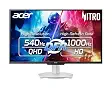
Samsung ViewFinity S50GCBest overall
- Size and resolution
- 34-inch, Ultra-WQHD (3440 x 1440)
- Refresh rate
- 100Hz
- Response time
- 5ms
- Brightness
- 300 cd/m² typical
Most recommended by reviewers
Check price at Amazon


How we make money. If you buy through our links we may earn a commission. It never changes what we recommend. Learn more ›
 Samsung ViewFinity S50GCBest overallRunner-up2
 Deco Gear DGEVOLUTION495KBest for a dual-monitor replacement
We earn a commission when you buy through our links, at no extra cost to you. How this works.
If you run two computers, a laptop and a desktop, or a console alongside a PC, picture-by-picture (PBP) lets both feeds sit on one screen without swapping cables. It is the easiest way to keep an eye on a second task while you work on the first.
We checked the eight PBP monitors currently in stock on Amazon and kept four that cover the main choices: the best all-round pick, a 49-inch super ultrawide for a dual-monitor replacement, a budget option, and a fast 240Hz gaming choice. The Samsung ViewFinity S50GC is our top pick for most people: it has two HDMI and one DisplayPort input, PBP and PIP, and a sensible price.
1 Samsung ViewFinity S50GC | 2 Deco Gear DGEVOLUTION495K | 3 Gawfolk Ultrawide Curved Monitor | 4 SANSUI 240Hz Curved Monitor | |
|---|---|---|---|---|
| Best for | Best overall | Best for a dual-monitor replacement | Best budget | Best for fast gaming |
| Size and resolution | 34-inch, Ultra-WQHD (3440 x 1440) | 49-inch, 5120 x 1440 (32:9) | 34-inch, UWQHD (3440 x 1440) | 34-inch, UWQHD (3440 x 1440) |
| Refresh rate | 100Hz | 165Hz | 165Hz (DP 1.4), 120Hz on HDMI 2.0 | 240Hz |
| Response time | 5ms | 1ms MPRT | 1ms MPRT | 1ms MPRT |
| Inputs | 2 x HDMI 2.2, 1 x DisplayPort 1.2 | Not listed | 2 x HDMI, 2 x DisplayPort | 2 x HDMI 2.1, 2 x DisplayPort 1.4 |
| PBP / PIP | Yes / Yes | Not listed | Yes / Yes | Yes / Yes |
| Curvature | Not listed | 1500R | 1500R | 1500R |
| Check price at Amazon | Check price at Amazon | Check price at Amazon | Check price at Amazon |
Samsung ViewFinity S50GCBest overallMost recommended by reviewers
Check price at Amazon Deco Gear DGEVOLUTION495KBest for a dual-monitor replacement
 Gawfolk Ultrawide Curved MonitorBest budget
 SANSUI 240Hz Curved MonitorBest for fast gaming


A 34-inch 21:9 monitor with two HDMI inputs and one DisplayPort, so PBP works without buying an adapter.
Most recommended by reviewers
Check price at AmazonPrices and availability on Amazon change often.
The Samsung ViewFinity S50GC is our top pick for a PBP setup, because it pairs two HDMI 2.2 inputs and a DisplayPort input with a 34-inch Ultra-WQHD panel that lets you run two sources side by side at native resolution.
Its picture-by-picture mode is the real draw here, with three video inputs that make it easy to keep two projects or programs visible at once. The ambient light sensor and flicker-free backlight are thoughtful touches for long working days, and HDR10 and AMD FreeSync round out a capable all-around package. Owners have no specific reports in our notes, but the specs point to a balanced monitor for office and everyday use.
The 100Hz refresh rate is the main compromise, since the 165Hz and 240Hz gaming panels in this list will feel smoother in fast games. If raw speed matters more than multitasking, the faster options are a better fit.
If it's not for you, the SANSUI 34-inch 240Hz suits fast gamers who want the highest refresh rate here, and the Gawfolk 34-inch is the budget pick with PBP support and two DisplayPort inputs.


One 49-inch curved screen that replaces two monitors, with a built-in 65W USB-C KVM for a one-cable laptop setup.
Prices and availability on Amazon change often.


A 34-inch curved screen at 165Hz with two HDMI and two DisplayPort inputs, for a low price.
Prices and availability on Amazon change often.


A 240Hz curved ultrawide with two HDMI 2.1 and two DisplayPort 1.4 inputs for PBP across several devices.
Prices and availability on Amazon change often.
PBP is most useful when you run two sources at once: a work laptop and a personal desktop, a PC and a console, or two projects that need to stay visible. If you only use one computer, a standard monitor is simpler and usually cheaper.
3440x1440 is usually called UWQHD or ultrawide QHD. It is more pixels than standard 2K (2560x1440) but well below 4K (3840x2160).
For multitasking and gaming, many people find a 34-inch curved ultrawide more comfortable than two flat monitors. It works best when you sit at a fixed distance from the screen.
Why trust ConsumerEcho
This shortlist is built from four Amazon listings that are in stock right now, weighed against the specs each listing states and the ranking in one editorial review. Every pick supports picture-by-picture, so you can run two inputs side by side.
Our expert team tests products when it is needed and researches online and in interviews. Every guide is fact-checked and edited by a real person.
The ConsumerEcho editorial team · Updated Nov 15, 2026
How we pickEditorial standardsAffiliate disclosureReport a mistake
We earn a commission when you buy through our links, at no extra cost to you. It never decides the winner.