
 ASUS ROG PG32UCDM3Best overall
- Resolution
- 3840 x 2160 (4K)
- Refresh rate
- 240Hz
- Response time
- 0.03ms
- Panel
- QD-OLED
Most recommended by reviewers
Check price at Amazon


How we make money. If you buy through our links we may earn a commission. It never changes what we recommend. Learn more ›
We earn a commission when you buy through our links, at no extra cost to you. How this works.
A 32 inch OLED monitor gives you deep black levels, fast response and sharp 4K detail, but the right one depends on whether you game at high frame rates or want the best picture for work and films. The ASUS ROG PG32UCDM3 is our top pick: a 4K QD-OLED panel at 240Hz with strong HDR and a broad set of connections, aimed at serious gamers. Our other picks cover a lower price, a rounded all-round choice and a dual-mode panel for fast competitive play.
1 ASUS ROG PG32UCDM3 | 2 LG 32GX850A-B | 3 Samsung Odyssey OLED G8 | 4 ASUS ROG PG32UCDP | |
|---|---|---|---|---|
| Best for | Best overall | Best budget | Best all-round | Best for competitive play |
| Resolution | 3840 x 2160 (4K) | 3840 x 2160 (4K) | 3840 x 2160 (4K) | 3840 x 2160 (4K) |
| Refresh rate | 240Hz | 165Hz (4K), 330Hz (FHD) | 240Hz | 240Hz (4K), 480Hz (FHD) |
| Response time | 0.03ms | 0.03ms | 0.03ms | 0.03ms |
| Panel | QD-OLED | Not listed | QD-OLED | WOLED |
| HDR | VESA DisplayHDR 500 True Black | VESA DisplayHDR True Black 400 | VESA DisplayHDR True Black 500 | Not listed |
| Connectivity | DisplayPort 2.1, HDMI 2.1, USB-C 90W | Not listed | DP 2.1, USB-C 96W | USB-C 90W |
| Check price at Amazon | Check price at Amazon | Check price at Amazon | Check price at Amazon |
ASUS ROG PG32UCDM3Best overallMost recommended by reviewers
Check price at Amazon LG 32GX850A-BBest budget
 Samsung Odyssey OLED G8Best all-round
 ASUS ROG PG32UCDPBest for competitive play


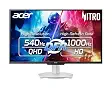
A premium 4K QD-OLED gaming monitor with 240Hz refresh and strong HDR for serious players.
Most recommended by reviewers
Check price at AmazonPrices and availability on Amazon change often.
For the best 32-inch OLED overall, the ASUS ROG PG32UCDM3 is the pick we'd choose, offering 4K resolution at 240Hz with a 0.03ms response time on a QD-OLED panel.
The PG32UCDM3 pairs 4K sharpness with 240Hz refresh and a 0.03ms response time, which covers both detail and motion. Its BlackShield film is said to add scratch resistance and boost perceived black level by up to 40% over previous QD-OLED panels. An owner confirms that 4K looks much better than 1440p on this monitor. Full DisplayPort 2.1 bandwidth and 90W USB-C power delivery round out a future-proof setup. Owners on r/Monitors report that the PG32UCDM3 has excellent grey scale, uniformity, text clarity and black levels, and that its new coating cuts magenta tint and reflections in daylight.
It is the most expensive pick in this guide, so it makes most sense for buyers who want the top OLED experience. Budget-minded shoppers will find the LG 32GX850A-B a lower-cost alternative with a dual 4K and 330Hz Full HD mode.
If it's not for you, the Samsung Odyssey OLED G8 suits buyers who want a glare-free screen and 96W USB-C power, while the ASUS ROG PG32UCDP suits competitive players who want 480Hz at Full HD and a three-year burn-in warranty.


A 4K OLED with dual-mode 165Hz and 330Hz switching at a lower price than the flagships.
Prices and availability on Amazon change often.


A QD-OLED 4K monitor at 240Hz with DisplayPort 2.1 and a glare-free screen.
Prices and availability on Amazon change often.


A WOLED 4K gaming monitor with a dual mode that switches to 480Hz at Full HD.
Prices and availability on Amazon change often.
If you play high frame rate shooters and want the sharpest picture, the 240Hz 4K models are the right choice. If the price matters more, the 165Hz LG keeps the OLED picture and drops the cost. Owner discussions point out that 4K is the main upgrade at this size, with OLED panel quality mattering as much as resolution.
OLED panels can show burn-in with static images on the screen for long periods, so they suit gaming and mixed use better than an all-day spreadsheet. One owner reported a bent screen after a fall, and commenters advise against trying to straighten a bent panel, so handle these carefully when moving them.
HDR can improve contrast and highlights on an OLED, but the gain depends on the rating. Monitors rated DisplayHDR True Black 400 or 500 deliver a visible difference, while entry ratings add little. Use HDR when the content supports it.
Among these picks the Samsung G8 (G80SH) has the highest listed HDR rating at DisplayHDR True Black 500. The ASUS and LG models are rated at 500 or 400 respectively.
The ASUS ROG PG32UCDM3 is our top pick for most buyers, offering 4K at 240Hz with strong HDR and full DisplayPort 2.1. It is the most expensive option here, so the LG 32GX850A is the better value for a 4K OLED.
The LG 32GX850A-B is the most affordable 4K OLED on this list, with dual-mode 165Hz and 330Hz switching. For a lower price still, a 1440p 27 inch OLED is often recommended by owners, though it is outside this 32 inch shortlist.
Why trust ConsumerEcho
We built this shortlist from four Amazon listings that are in stock right now, weighed against owner discussions on OLED gaming and monitor forums. Each pick was chosen for its resolution, refresh rate, HDR support and how well it fits a different budget or gaming setup.
Our expert team tests products when it is needed and researches online and in interviews. Every guide is fact-checked and edited by a real person.
The ConsumerEcho editorial team · Updated Nov 15, 2026
How we pickEditorial standardsAffiliate disclosureReport a mistake
We earn a commission when you buy through our links, at no extra cost to you. It never decides the winner.
 The Best 27 Inch Monitors With Camera and Speakers
 The Best Gaming Monitors for 2026
 The Best OLED Monitors for Your Xbox Series X
 The Best Curved Gaming Monitors With Built-In Speakers
 The Best 3D Printer Scanners
 The Best Angels Horn Turntables
 The Best 11 Inch Android Tablets
 The Best 3D Printers for D&D Miniatures
