
 TP-Link TL-SX1008Best overall
- Ports
- 8 x 10G
- Switching capacity
- 160 Gbps
- Speeds
- 100M / 1G / 2.5G / 5G / 10G auto
- Mounting
- Desktop or rackmount
Most recommended by reviewers
Check price at Amazon


How we make money. If you buy through our links we may earn a commission. It never changes what we recommend. Learn more ›
We earn a commission when you buy through our links, at no extra cost to you. How this works.
If your NAS, desktop or wireless access point is starting to crawl behind a gigabit switch, a 10 Gigabit switch is the simplest upgrade. The best all-round pick here is the TP-Link TL-SX1008, which gives you eight 10G ports and runs quietly with no setup.
Below you'll find three picks for different budgets and setups, plus backups if one goes out of stock.
1 TP-Link TL-SX1008 | 2 NICGIGA Unmanaged 10G Switch | 3 NETGEAR XS308Mv2 | |
|---|---|---|---|
| Best for | Best overall | Best budget pick | Best brand pick |
| Ports | 8 x 10G | 2 x 10G + 4 x 2.5G | 8 x 10G |
| Switching capacity | 160 Gbps | 60 Gbps | Not listed |
| Speeds | 100M / 1G / 2.5G / 5G / 10G auto | 100M / 1G / 2.5G / 5G / 10G auto | 10G multi-gig auto |
| Mounting | Desktop or rackmount | Desktop or wall mount | Desktop or wall mount |
| Warranty | 3 years | 1 year | Not listed |
| Check price at Amazon | Check price at Amazon | Check price at Amazon |
TP-Link TL-SX1008Best overallMost recommended by reviewers
Check price at Amazon NICGIGA Unmanaged 10G SwitchBest budget pick
 NETGEAR XS308Mv2Best brand pick



Eight 10G ports and a sturdy metal case make this the strongest all-round choice for a home lab or media setup.
Most recommended by reviewers
Check price at AmazonPrices and availability on Amazon change often.
For most people searching for a 10 gigabit switch, the TP-Link TL-SX1008 is the pick we'd make, because it gives you eight 10G ports with room to grow.
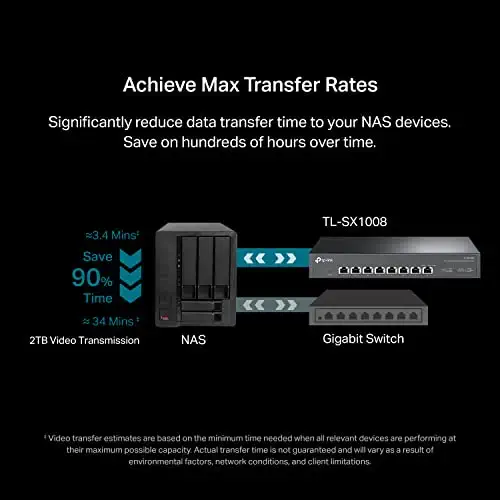
The TP-Link offers eight 10G ports and up to 160 Gbps of switching capacity, and it auto-negotiates across 100M, 1G, 2.5G, 5G and 10G, so older and newer devices can share it. Its metal case works on a desktop or in a rack, and the three-year warranty is the longest of the picks. Setup is plug and play with no software to install. Owners on r/HomeNetworking report that a TP-Link TL-SX1008 has run for a year without issues.
It is the most expensive pick in this group, so it only makes sense if you really need eight 10G ports. If your budget is tighter, the NICGIGA offers a lower price with fewer 10G ports, while the NETGEAR suits US and Canada buyers who want a similar eight-port setup.
If it's not for you, the NICGIGA 6-Port suits buyers on a budget who need only two 10G ports and can accept a one-year warranty, and the NETGEAR XS308Mv2 suits US and Canada buyers who want eight 10G ports with Energy Efficient Ethernet.


Two 10G ports and four 2.5G ports at a low price, a good fit for a small home network.
Prices and availability on Amazon change often.


Eight 10G ports from a well-known brand with energy-efficient operation for a plug-and-play setup.
Prices and availability on Amazon change often.
If you have a NAS or a desktop that needs 10 Gigabit speed, choose a switch with enough 10G ports for those devices. If your network is mostly gigabit with a couple of fast links, a mixed 2.5G and 10G switch is usually enough.
Check how many 10G ports you need, whether the switch is fanless if it sits in a room you use, and whether it mounts the way you want. Unmanaged plug-and-play models work well for simple setups.
If your internet connection is slower than gigabit, or you only move files occasionally, a gigabit switch is enough. Also note that a switch placed between your ISP modem and a router will often not work on residential connections, so put it behind the router.
Not if you move large files between a NAS and a desktop, or run several high-speed devices. For browsing and streaming, gigabit is usually enough.
TP-Link offers more 10G ports for the money, while NETGEAR is the better pick if you prefer its brand. Both are plug and play.
Some of these switches work with existing Cat5e cabling at multi-gig speeds, but Cat6 is recommended for full 10G over longer runs.
Usually not on residential connections, because your ISP assigns one IP address to one device. Place the switch behind the router instead.
Why trust ConsumerEcho
This shortlist is built from three Amazon listings that were checked for stock and compared on port count, speed mix and mounting. We also weighed editorial review claims about multi-gig performance, noise and management, and community advice on how switches fit into a home setup.
Our expert team tests products when it is needed and researches online and in interviews. Every guide is fact-checked and edited by a real person.
The ConsumerEcho editorial team · Updated Nov 15, 2026
How we pickEditorial standardsAffiliate disclosureReport a mistake
We earn a commission when you buy through our links, at no extra cost to you. It never decides the winner.



