
 MSI Vector 16 HX AIBest overall
- Processor
- Intel Core Ultra 7 255HX
- Graphics
- NVIDIA RTX 5070 Ti 12GB
- Memory
- 16GB DDR5
- Storage
- 1TB PCIe SSD
Most recommended by reviewers
Check price at Amazon


How we make money. If you buy through our links we may earn a commission. It never changes what we recommend. Learn more ›
We earn a commission when you buy through our links, at no extra cost to you. How this works.
If you are shopping for the MSI Vector 16 HX, the first question is which configuration fits your budget and your games. The graphics card, memory and display are what you will feel day to day.
Our top pick is the MSI Vector 16 HX with an RTX 5070 Ti and 32GB of memory at 144Hz, a strong balance of price and performance. The other picks cover higher-end graphics, a sharper display and a larger memory and storage setup.
1 HX AI | 2 HX AI | 3 HX AI | 4 HX AI | 5 HX AI | |
|---|---|---|---|---|---|
| Best for | Best overall | Best for competitive play | Best for a 144Hz screen with memory | Best for top-end graphics | |
| Processor | Intel Core Ultra 7 255HX | Intel Core Ultra 7 255HX (up to 5.2GHz) | Intel Core Ultra 7 255HX | Intel Core Ultra 7-255HX | Intel Core Ultra 9 275HX (24-core) |
| Graphics | NVIDIA RTX 5070 Ti 12GB | NVIDIA RTX 5070 Ti 12GB GDDR7 | NVIDIA RTX 5070 Ti | NVIDIA RTX 5070 Ti | NVIDIA RTX 5080 16GB |
| Memory | 16GB DDR5 | 32GB DDR5 5600MHz | 32GB DDR5 | 16GB DDR5 | 32GB DDR5 |
| Storage | 1TB PCIe SSD | 1TB NVMe SSD | 1TB SSD | 512GB NVMe SSD | 1TB SSD |
| Display | 16-inch 144Hz | 16-inch WQXGA 240Hz | 16-inch WUXGA 144Hz IPS | 16-inch 144Hz FHD+ | 16-inch QHD+ IPS 240Hz |
| Check price at Amazon | Check price at Amazon | Check price at Amazon | Check price at Amazon | Check price at Amazon |
MSI Vector 16 HX AIBest overallMost recommended by reviewers
Check price at Amazon MSI Vector 16 HX AIBest for competitive play
 MSI Vector 16 HX AIBest for a 144Hz screen with memory
 MSI Vector 16 HX AI
 MSI Vector 16 HX AIBest for top-end graphics


A capable 16-inch gaming laptop with an RTX 5070 Ti for smooth play at a sensible price.
Most recommended by reviewers
Check price at AmazonPrices and availability on Amazon change often.
For a balanced MSI Vector 16 HX, we'd pick the Core Ultra 7 255HX model with an RTX 5070 Ti, 16GB of memory and a 1TB SSD, because it pairs strong graphics for high-frame-rate gaming with a sensible price for its specification.
The RTX 5070 Ti is the heart of this build, and it suits high-FPS gaming well. The Core Ultra 7 255HX handles games and everyday work comfortably, and the 1TB PCIe SSD gives you room for a decent game library. The 16-inch 144Hz display keeps motion smooth, and the price stays reasonable for what you get. Owners on r/GamingLaptops report that the Vector 16 HX runs cool and performs well in games, with one owner seeing excellent temperatures on balanced mode.
The 16GB of memory is the minimum for this class of laptop, so you may want to upgrade it later for heavier multitasking or newer games. If you need more memory from the start, the 240Hz or 144Hz 32GB variants are better fits.
If it's not for you, the 240Hz WQXGA model with 32GB suits fast competitive play and heavy multitasking, while the Ultra 9 275HX with RTX 5080 suits buyers who want the most graphics power.


A fast 240Hz display with 32GB of memory for competitive and high-refresh play.
Prices and availability on Amazon change often.


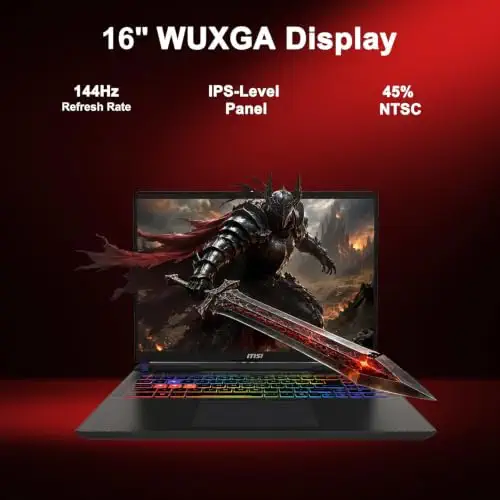
A 144Hz display with 32GB memory and a SteelSeries keyboard at a mid-range price.
Prices and availability on Amazon change often.


The lowest-priced Vector 16 HX with a 5070 Ti, for buyers who want the card without the extra spend.
Prices and availability on Amazon change often.


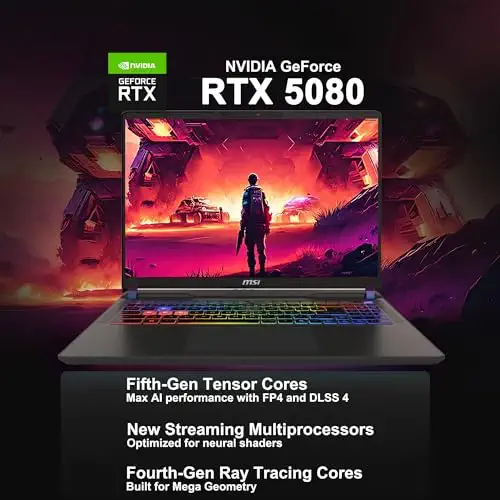

The top configuration with an RTX 5080 and an Ultra 9 processor for demanding games and creative work.
Prices and availability on Amazon change often.
Choose the 5070 Ti with 16GB for a lower price, the 32GB versions for the most comfortable multitasking, and the RTX 5080 only if you need the highest frame rates.
Both brands make capable gaming laptops. Choose by the graphics card, display and price you need rather than the brand name alone.
For most buyers, the 5070 Ti model with 32GB memory and a 144Hz display gives the best balance of price and performance.
Owners on gaming forums describe the Vector 16 HX as a strong performer for the price. Watch temperatures during long sessions and consider a cooling pad.
Why trust ConsumerEcho
We started from five Amazon listings for the MSI Vector 16 HX, checking each one is in stock now. We weighed the graphics card, processor, memory, storage and display, and what owners on gaming forums say about running these laptops for long sessions.
Our expert team tests products when it is needed and researches online and in interviews. Every guide is fact-checked and edited by a real person.
The ConsumerEcho editorial team · Updated Nov 15, 2026
How we pickEditorial standardsAffiliate disclosureReport a mistake
We earn a commission when you buy through our links, at no extra cost to you. It never decides the winner.




