
 Dell XPS 14Best overall
- Processor
- Intel Core Ultra 7 255H
- Memory
- 32GB
- Storage
- 1TB SSD
- Display
- 14.5-inch 3.2K OLED touch, up to 120Hz
Most recommended by reviewers
Check price at Amazon


How we make money. If you buy through our links we may earn a commission. It never changes what we recommend. Learn more ›
We earn a commission when you buy through our links, at no extra cost to you. How this works.
If you want a thin, good-looking 14-inch Dell for work, school or everyday use, the Dell 14 Premium line is an easy one to look at. The XPS 14 is the most-recommended of the family, and the Dell Pro 14 Premium is the cheaper, business-focused option with a similar build.
For most buyers the Dell XPS 14 with Intel Core Ultra 7 and 32GB of memory is our top pick. It pairs a strong OLED-style display with a solid processor and fits a budget that doesn't need the top-end Pro Max. The other picks cover a cheaper Dell Pro 14 for basic office work, a higher-spec Pro 14 for demanding tasks, and a pricier Pro Max option if you need a large screen and workstation-class power.
1 XPS 14 | 2 Pro 14 PA14250 | 3 Pro 14 PA14250 | 4 Pro Max 14 MA14250 | |
|---|---|---|---|---|
| Best for | Best overall | Best budget | Best for sharp screen | Best premium pick |
| Processor | Intel Core Ultra 7 255H | Intel Core Ultra 7 268V vPro, 8-core | Intel Core Ultra 7 268V | Intel Core Ultra 7 265H, 16 cores |
| Memory | 32GB | 32GB LPDDR5x | 32GB LPDDR5x | 32GB LPDDR5X |
| Storage | 1TB SSD | 512GB SSD | 512GB SSD | 1TB SSD |
| Display | 14.5-inch 3.2K OLED touch, up to 120Hz | 14-inch FHD+ 400-nit, non-touch | 14-inch QHD+ 400-nit touch, IPS | 14-inch QHD+ Tandem OLED touch, 400 nits |
| Battery | Not listed | 57 Wh | Not listed | 72 Wh |
| Check price at Amazon | Check price at Amazon | Check price at Amazon | Check price at Amazon |
Dell XPS 14Best overallMost recommended by reviewers
Check price at Amazon Dell Pro 14 PA14250Best budget
 Dell Pro 14 PA14250Best for sharp screen
 Dell Pro Max 14 MA14250Best premium pick


The best all-round Dell 14 Premium for most buyers, with a sharp OLED touchscreen and 32GB of memory.
Most recommended by reviewers
Check price at AmazonPrices and availability on Amazon change often.
For a 14-inch Dell that prioritizes a vivid screen and a premium feel, the Dell XPS 14 Premium Laptop is the pick we'd choose for this search.
The XPS 14 pairs a 14.5-inch 3.2K OLED touch display, which reviewers describe as sharp and vivid, with up to 120Hz refresh, and that refresh rate is the highest among the picks on this list. Its machined aluminum build and Gorilla Glass 3 give it a premium look, and 32GB of memory with a 1TB SSD leaves plenty of room for everyday and creative work. Reviewers also single out the keyboard and trackpad as fantastic, and one commenter notes that Dell's consumer laptops have a reputation for only lasting a few months.
The keyboard has no dedicated function-key row, which can be frustrating if you lean on keyboard shortcuts. Reviewers also point out the design is largely unchanged from its predecessor and that the Series 2 processor upgrade is modest for the price.
If it's not for you, the Dell Pro 14 Premium PA14250 with the QHD+ touch display suits buyers who want a sharper screen at a business-focused price, while the Pro Max 14 Premium with Tandem OLED suits those who want the most storage and a premium OLED panel, though its 60Hz display is a drawback.
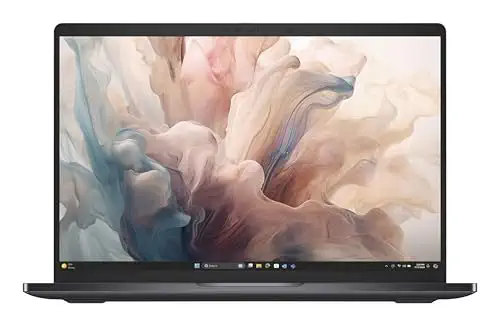

A cheaper business-focused Dell 14 with 32GB of memory and an ultra-thin body, good for office work.
Prices and availability on Amazon change often.


Same business platform as the Pro 14 Premium, with a sharper QHD+ touchscreen.
Prices and availability on Amazon change often.

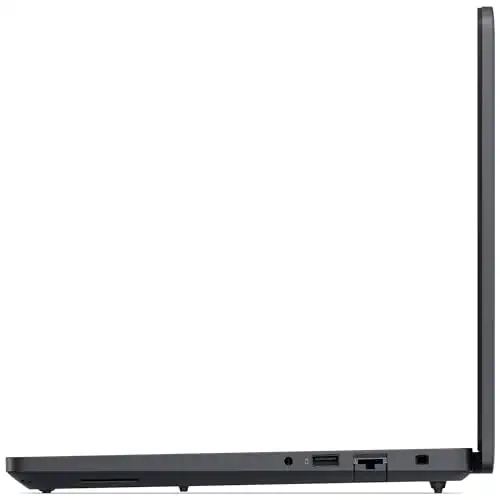


The top-spec Dell 14 Premium, with a Tandem OLED touchscreen and 32GB memory, for buyers who want the best screen and don't mind the price.
Prices and availability on Amazon change often.
Choose the XPS 14 for the best all-round screen and general use. Choose a Pro 14 model if you need business features such as a fingerprint reader or vPro. Pick the Pro Max only if the top-end OLED screen is worth the premium.
Skip these if you rely on a lot of keyboard shortcuts, since several reviewers found the function-key layout frustrating. Also consider a gaming laptop if you need a dedicated graphics card, because the integrated and optional RTX 4050 options are limited.
Yes for most general users. The XPS 14 with its OLED screen is the best-reviewed model, though reviewers flag the keyboard layout and the value of the optional graphics card.
Prices vary by configuration. The cheapest Dell Pro 14 models are close to a basic budget laptop, while the Pro Max with the Tandem OLED screen costs the most. Check the live price on each listing above.
The Pro 14 Premium is the more capable business model, with vPro and a fingerprint reader. The Pro 14 Plus line is cheaper and suits basic office work better.
Premium models have better screens and build, while Pro models focus on business features and warranty. Pick Premium for the display and Pro for work-focused features.
The Dell Pro 14 Premium QHD+ touch model is a good choice for office work, with a sharp screen, 32GB memory and a three-year onsite warranty.
For most buyers, the Dell XPS 14 with Core Ultra 7 and 32GB memory is the best overall 14-inch Dell in this lineup.
Why trust ConsumerEcho
Every laptop shown is in stock on Amazon right now.
Our expert team tests products when it is needed and researches online and in interviews. Every guide is fact-checked and edited by a real person.
The ConsumerEcho editorial team · Updated Nov 16, 2026
How we pickEditorial standardsAffiliate disclosureReport a mistake
We earn a commission when you buy through our links, at no extra cost to you. It never decides the winner.




