
 WD My Passport 4TBBest overall
- Capacity
- 4TB
- Interface
- USB 3.1 / USB 3.0
- Encryption
- Hardware encryption, password protection
- Warranty
- 3-year limited
Most recommended by reviewers
Check price at Amazon


How we make money. If you buy through our links we may earn a commission. It never changes what we recommend. Learn more ›
We earn a commission when you buy through our links, at no extra cost to you. How this works.
If you want a drive to keep copies of your photos, documents and work files, you need one that is easy to set up and simple to trust. Backup drives do their job quietly in the background, so the right choice is the one that fits how much you store and where you use it.
Our top pick is the WD 4TB My Passport. It comes with backup software and ransomware defense, hardware encryption, and a 3-year warranty, all at a size that suits most people. The other picks cover bigger capacity, a rugged metal look, and a drive that works with newer Mac and Windows setups.
1 WD My Passport 4TB | 2 WD My Passport 6TB | 3 WD My Passport Ultra 5TB | 4 Seagate One Touch 8TB | |
|---|---|---|---|---|
| Best for | Best overall | Biggest capacity | Best metal design | Big-capacity desktop |
| Capacity | 4TB | 6TB | 5TB | 8TB |
| Interface | USB 3.1 / USB 3.0 | USB 3.1 / USB 3.0 | USB-C and USB 3.1 | USB-C, bus-powered |
| Encryption | Hardware encryption, password protection | Hardware encryption, password protection | 256-bit AES hardware encryption, password protection | Not listed |
| Warranty | 3-year limited | Not stated on the listing | 3-year limited | 2-year limited, with data recovery services |
| Check price at Amazon | Check price at Amazon | Check price at Amazon | Check price at Amazon |
WD My Passport 4TBBest overallMost recommended by reviewers
Check price at Amazon WD My Passport 6TBBiggest capacity
 WD My Passport Ultra 5TBBest metal design
 Seagate One Touch 8TBBig-capacity desktop


A slim, everyday backup drive with backup software, ransomware defense and password protection.
Most recommended by reviewers
Check price at AmazonPrices and availability on Amazon change often.
For a backup drive that balances room, security and portability, the WD 4TB My Passport is the one we'd pick first.
The slim, portable design makes it easy to carry your important files wherever you go. It includes backup software with defense against ransomware, and hardware encryption with password protection helps keep those files secure. The 4TB capacity gives room for photos, videos, music and documents, and the 3-year limited warranty adds some peace of mind. Owners on r/DataHoarder report that several WD My Passport drives have kept working for years, including units carried daily in backpacks.
The bundled backup software is the WD tool, so you may want to set up your own schedule rather than rely on its defaults. If you need more space, the 6TB My Passport offers the same software and security, while the Seagate One Touch 8TB gives the most capacity overall but is heavier and less portable.
If it's not for you, the WD 6TB My Passport suits anyone with a large photo or video library who doesn't mind paying more, and the Seagate One Touch 8TB suits a desktop setup where portability matters less.
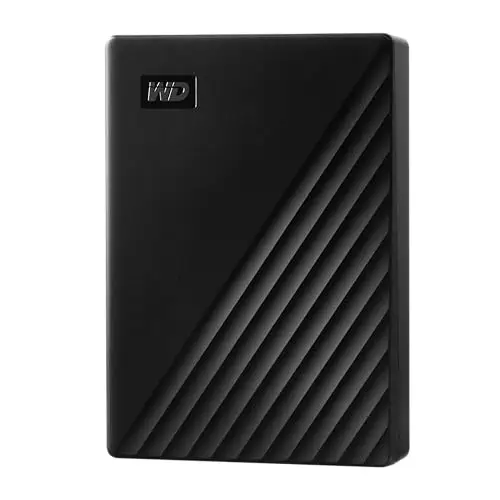

The same My Passport design with 6TB of room for a large photo or video library.
Prices and availability on Amazon change often.


A blue metal-finished backup drive with USB-C for newer laptops.
Prices and availability on Amazon change often.


A large desktop drive with one USB-C cable and no separate power plug.
Prices and availability on Amazon change often.
For a light backup of documents and a modest photo library, the 2TB or 4TB My Passport is enough. If your library is large or you back up video, the 5TB or 6TB models leave room to grow. For a drive that stays on a desk, the 8TB Seagate One Touch is the simplest choice.
Hard drives (HDDs) are the usual choice for large, low-cost backups, while SSDs are faster and more resistant to drops. Owner discussions note that drives approaching a decade of use should be replaced before they fail, so keep a second copy of important files either way.
The WD 4TB My Passport is a solid choice for Time Machine on a Mac, with enough room for a full system backup. Check that the drive is formatted for macOS before you set it up, since some of these drives ship formatted for Windows.
Why trust ConsumerEcho
This shortlist is built from four Amazon listings that are in stock right now, checked against expert reviews and owner discussions. We weigh capacity, built-in backup and security features, and warranty length.
Our expert team tests products when it is needed and researches online and in interviews. Every guide is fact-checked and edited by a real person.
The ConsumerEcho editorial team · Updated Nov 15, 2026
How we pickEditorial standardsAffiliate disclosureReport a mistake
We earn a commission when you buy through our links, at no extra cost to you. It never decides the winner.



