ASUS Zenbook Duo Laptop (2026), Dual 14 OLED TouchscreenBest dual-screen
- Screen
- Dual 14-inch OLED 3K 144Hz touch
- Processor
- Intel Core Ultra X9 378H
- Memory
- 32GB RAM
- Storage
- 1TB SSD
Most recommended by reviewers
Check price at Amazon


How we make money. If you buy through our links we may earn a commission. It never changes what we recommend. Learn more ›
 ASUS Zenbook Duo Laptop (2026), Dual 14 OLEDBest dual-screenRunner-up2
 ASUS ROG Flow Z13 (2025) Gaming Laptop, 13Best 2-in-1 gaming

Reviewed by
Fact-checker and content editor
Experienced researcher and AI content editor, having worked on various merchant websites.
We earn a commission when you buy through our links, at no extra cost to you. How this works.
Buying a touchscreen laptop means you can tap, draw or scroll right on the screen, which helps if you use it for notes, sketches or switching between laptop and tablet modes. Asus makes a lot of touchscreen models, so the choice depends on how you plan to use it and what you want to spend.
Start with the ASUS Zenbook Duo Laptop (2026), Dual 14 OLED Touchscreen. It has two 14-inch touchscreens, a fast Intel Core Ultra processor and 32GB of memory, and it is the best dual-screen Asus laptop according to the expert review we checked. Other models here include a 2-in-1 gaming model, a lighter everyday touchscreen, a budget option and a larger 18-inch screen.
1 Zenbook Duo Laptop (2026), Dual 14 OLED Touchscreen | 2 ROG Flow Z13 (2025) Gaming Laptop, 13 Touchscreen | 3 Zenbook 14 OLED Touchscreen Laptop | 4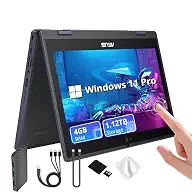 11.6 2-in-1 Touchscreen Laptop, Intel Celeron N100 | 5 Vivobook S16 18 Touchscreen Laptop | |
|---|---|---|---|---|---|
| Best for | Best dual-screen | Best 2-in-1 gaming | Best everyday touchscreen | Best budget touchscreen | Best large screen |
| Screen | Dual 14-inch OLED 3K 144Hz touch | 13-inch 2.5K 180Hz touch | 14-inch 2K OLED touch, 500 nits HDR | 11.6-inch HD anti-glare touch | 18-inch WUXGA touch, 120Hz |
| Processor | Intel Core Ultra X9 378H | AMD Ryzen AI MAX 390 | AMD Ryzen AI 9 465 | Intel Celeron N100 | AMD Ryzen AI 9 465 |
| Memory | 32GB RAM | 32GB LPDDR5X | 16GB RAM | 4GB RAM | 32GB DDR5 |
| Storage | 1TB SSD | 1TB SSD | 1TB SSD | 128GB SSD plus 1TB docking station storage | 4TB SSD |
| Check price at Amazon | Check price at Amazon | Check price at Amazon | Check price at Amazon | Check price at Amazon |
ASUS Zenbook Duo Laptop (2026), Dual 14 OLED TouchscreenBest dual-screenMost recommended by reviewers
Check price at Amazon ASUS ROG Flow Z13 (2025) Gaming Laptop, 13 TouchscreenBest 2-in-1 gaming
 ASUS Zenbook 14 OLED Touchscreen LaptopBest everyday touchscreen
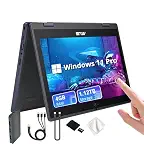 ASUS 11.6 2-in-1 Touchscreen Laptop, Intel Celeron N100Best budget touchscreen
 ASUS Vivobook S16 18 Touchscreen LaptopBest large screen


Two 14-inch OLED touchscreens that you can use side by side or as a laptop.
Most recommended by reviewers
Check price at AmazonPrices and availability on Amazon change often.
One catchThe price is high, and you only need it if you really use two screens.

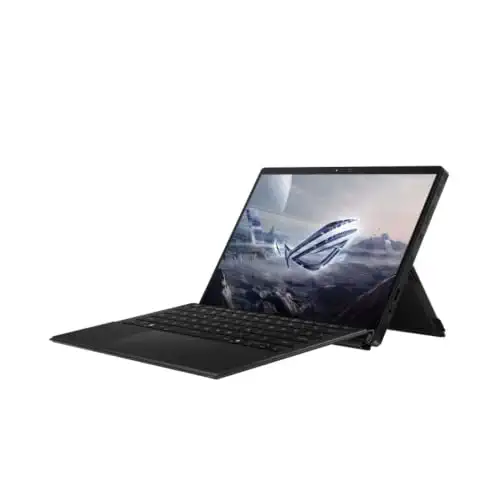
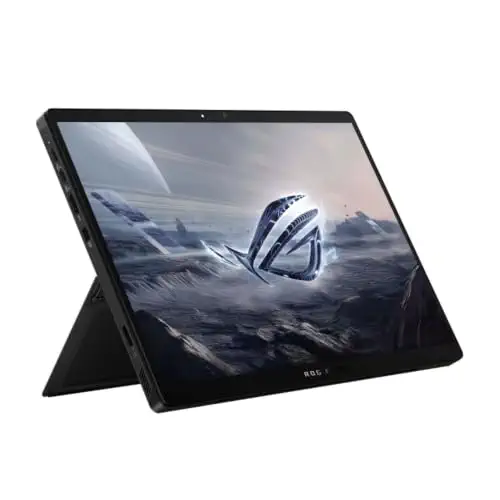

A flip-around touchscreen gaming laptop that works as a tablet.
Prices and availability on Amazon change often.


A light 14-inch OLED touchscreen with a long battery for work and school.
Prices and availability on Amazon change often.
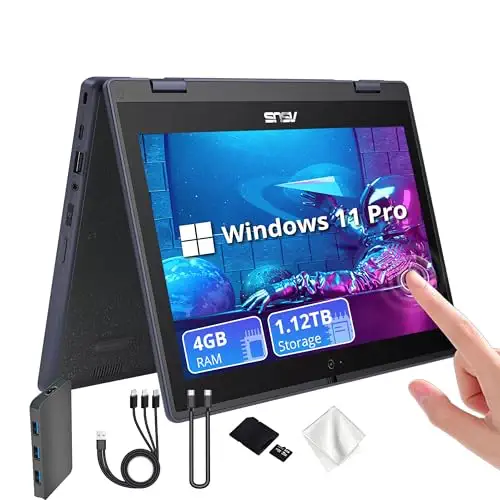


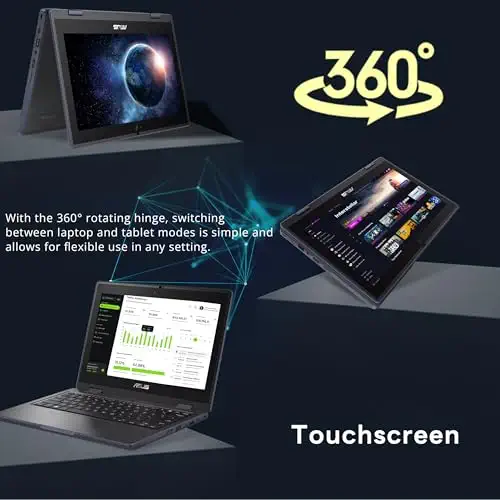
A cheap 2-in-1 touchscreen for light browsing, notes and school work.
Prices and availability on Amazon change often.

An 18-inch touchscreen laptop for watching, streaming and working on a big display.
Prices and availability on Amazon change often.
For tablet-style drawing and notes, pick a 2-in-1 with a flip-around screen. For extra screen space at a desk, pick the Zenbook Duo. For school and office work on the move, the lighter Zenbook 14 is the best fit. For a low budget, the Celeron 2-in-1 covers basic tasks.
They are worth it if you draw, take notes by hand or like to tap and scroll on the screen. If you only type, a standard laptop costs less and works just as well.
Several ASUS models have touchscreens, including the Zenbook Duo, the ROG Flow Z13, the Zenbook 14 OLED, the Zenbook S14 and the Vivobook models in this guide.
For most people, the Zenbook 14 OLED is the best balance of price, weight and screen. Buyers who want two screens should choose the Zenbook Duo.
The Zenbook line suits everyday and work use, while the ROG line suits gaming. Within each line, the newest models usually have the best specs.
ASUS makes reliable laptops across a wide price range, and the expert guides we checked name several of its models as top choices.
Meet the reviewer
Fact-checker and content editor
Experienced researcher and AI content editor, having worked on various merchant websites. Experience in AI transcription, prompt engineering and taxonomy mapping for search engines.
Why trust ConsumerEcho
This shortlist is built from five Amazon listings that are in stock now, compared on screen type, processor, memory, storage and price. Expert recommendations from editorial reviews were weighed alongside the listing specs.
Our expert team tests products when it is needed and researches online and in interviews. Every guide is fact-checked and edited by a real person.
The ConsumerEcho editorial team · Updated Nov 10, 2026
How we pickEditorial standardsAffiliate disclosureReport a mistake
We earn a commission when you buy through our links, at no extra cost to you. It never decides the winner.