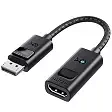
Portta VD20PBest overall
- Max recording
- 1080p at 60fps
- Screen
- 5-inch HD LCD
- Inputs
- AV (CVBS), S-Video, R/L audio
- Storage
- USB, TF card, portable HDD or SSD
Most recommended by reviewers
Check price at Amazon


How we make money. If you buy through our links we may earn a commission. It never changes what we recommend. Learn more ›
We earn a commission when you buy through our links, at no extra cost to you. How this works.
If you have a shoebox of VHS tapes or old camcorder footage, the goal is simple: get those memories onto a file you can keep, share and play on a modern screen. Most converters are small boxes that record straight to a USB drive, while cheaper capture cards pair with a computer.
Our No. 1 pick, the Portta VHS to Digital Converter, is a plug-and-play recorder with a 5-inch screen that records up to Full HD. The other picks cover a budget capture card, a larger-screen kit and a computer-based option.
1 Portta VD20P | 2 DigitPro VHS Converter 3.0 | 3 DigitPro VHS Converter | 4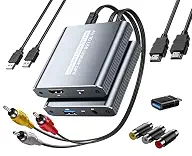 Fulfalic VHS Capture Card | |
|---|---|---|---|---|
| Best for | Best overall | Best big-screen kit | Best budget recorder | Best for computer capture |
| Max recording | 1080p at 60fps | 1080p at 60Hz | 1080p at 30Hz | 1080p at 30fps |
| Screen | 5-inch HD LCD | 5-inch preview | 4-inch LCD, HDMI output | Not listed |
| Inputs | AV (CVBS), S-Video, R/L audio | Not listed | Not listed | RCA/AV |
| Storage | USB, TF card, portable HDD or SSD | Not listed | USB or TF card up to 512GB | Not listed |
| Check price at Amazon | Check price at Amazon | Check price at Amazon | Check price at Amazon |
Portta VD20PBest overallMost recommended by reviewers
Check price at Amazon DigitPro VHS Converter 3.0Best big-screen kit
 DigitPro VHS ConverterBest budget recorder
 Fulfalic VHS Capture CardBest for computer capture


A standalone recorder with a 5-inch screen that saves MP4 straight to USB or a memory card, no computer needed.
Most recommended by reviewers
Check price at AmazonPrices and availability on Amazon change often.
The Portta VD20P is our pick for the best overall analog to digital converter, because it pairs Full HD 1080p recording at 60fps with a large 5-inch preview screen you can use to check the picture as you record.
The Portta VD20P records up to 1080p at 60fps, and its built-in 5-inch HD screen lets you preview and play back footage in real time. You can adjust brightness, contrast and saturation right on the screen, which helps when old tapes look faded or washed out. It saves to USB drives, TF cards or a portable hard drive or SSD, and accepts AV, S-Video and stereo audio inputs across PAL, NTSC and SECAM, so it works with most VCRs, camcorders and game consoles. Owners on r/VHS have no reported comments for this pick in this guide, so these impressions come from the product specs alone.
If it's not for you, the DigitPro VHS to Digital Converter 3.0 suits anyone who wants a built-in battery for portable use, while the budget DigitPro VHS to Digital Converter, which records at 30Hz and needs its own power supply, suits buyers who want the lowest price, and the Fulfalic capture card suits those who prefer recording onto a computer.


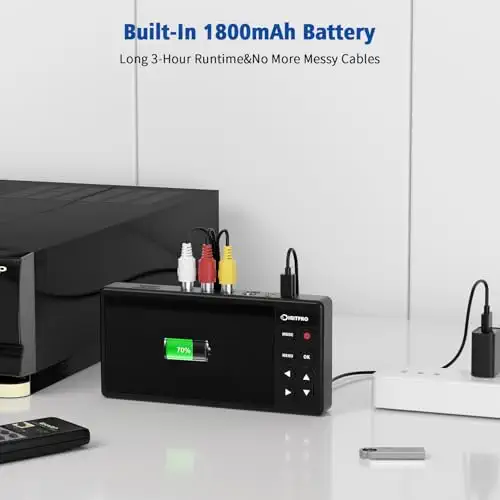
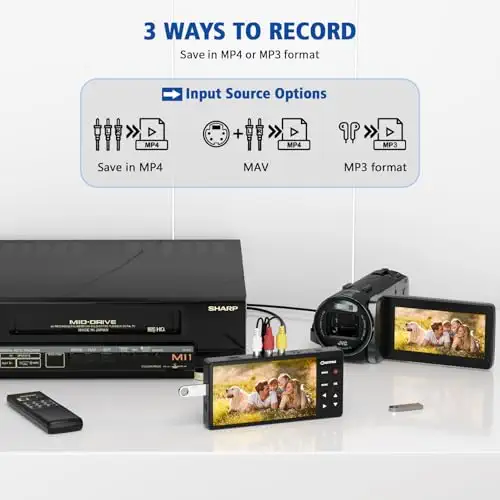

A portable converter with a 5-inch screen and built-in battery, useful for recording away from a power outlet.
Prices and availability on Amazon change often.


A plug-and-play recorder with a 4-inch screen, HDMI output and scheduled recording at a lower price point.
Prices and availability on Amazon change often.
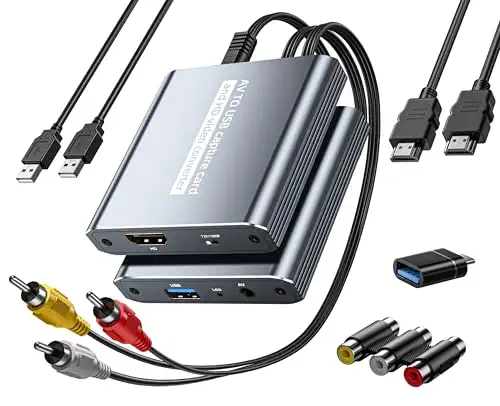


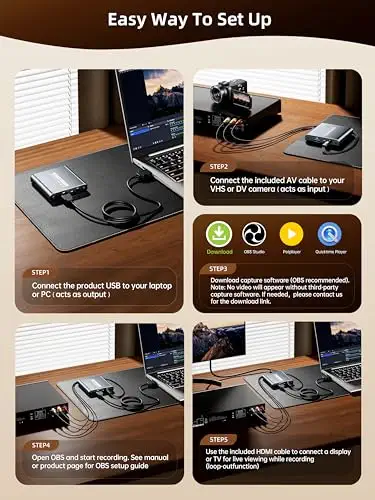

A low-cost USB capture card that records to a computer and loops video out to an HDMI screen.
Prices and availability on Amazon change often.
A standalone recorder records straight to a USB drive, so it is simple and needs no computer. A capture card sends the signal to a computer, which gives you editing options but adds setup. Choose a recorder if you want plug-and-play; choose a capture card if you already work on a computer.
Yes. A capture card connects your VCR to a computer through RCA or S-Video, and free software such as OBS or PotPlayer records the video. You still need a working VCR and tapes.
Capture software such as OBS or PotPlayer records the video to a computer file, which you can then burn to DVD with a disc-authoring program. The standalone recorders on this page save MP4 files you can copy to a computer and burn the same way.
No. These devices record only. You need a working VCR, camcorder or player connected to the converter.
Why trust ConsumerEcho
This shortlist is built from four Amazon listings checked for stock, with reader discussions and one editorial review weighed for who each converter suits. We compare what each device records, what inputs it accepts and what you need to supply yourself.
Our expert team tests products when it is needed and researches online and in interviews. Every guide is fact-checked and edited by a real person.
The ConsumerEcho editorial team · Updated Nov 22, 2026
How we pickEditorial standardsAffiliate disclosureReport a mistake
We earn a commission when you buy through our links, at no extra cost to you. It never decides the winner.