
 Western Digital WD BlueBest overall
- Capacity
- 12TB
- Speed
- 7200 RPM
- Cache
- 512 MB
- Interface
- SATA 6 Gb/s
Most recommended by reviewers
Check price at Amazon


How we make money. If you buy through our links we may earn a commission. It never changes what we recommend. Learn more ›

Reviewed by
Content Editor & Fact-checker
As a proofreader, I focus on the finer details, so it's only natural that I bring the same eye for detail to the world of e-commerce.
We earn a commission when you buy through our links, at no extra cost to you. How this works.
If you need a lot of room for photos, video or a home server, a 12TB drive gives you plenty of space without the price jump of the largest models. The right pick depends on whether the drive will sit in a desktop or in a NAS running around the clock.
Our top pick is the Western Digital 12TB WD Blue, the easiest choice for everyday storage. Below it, the WD Red Plus suits a NAS, and the refurbished Seagate Exos x12 is the budget route for always-on use.
1 Western Digital WD Blue | 2 Western Digital WD Red Plus | 3 Seagate Exos x12 | |
|---|---|---|---|
| Best for | Best overall | Best for a NAS | Best budget enterprise pick |
| Capacity | 12TB | 12TB | 12TB |
| Speed | 7200 RPM | 7200 RPM | 7200 RPM |
| Cache | 512 MB | 512 MB | 256 MB |
| Check price at Amazon | Check price at Amazon | Check price at Amazon |
Western Digital WD BlueBest overallMost recommended by reviewers
Check price at Amazon Western Digital WD Red PlusBest for a NAS
 Seagate Exos x12Best budget enterprise pick
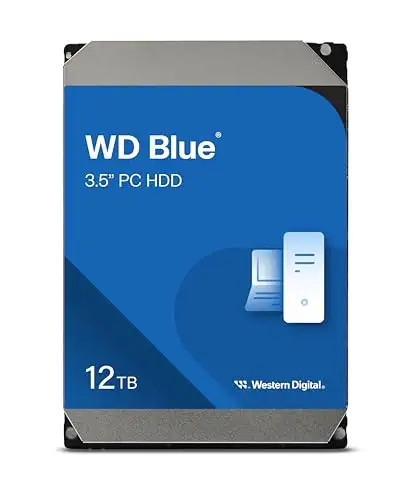
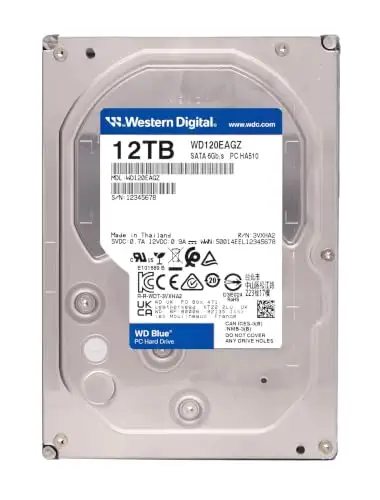
A straightforward 12TB desktop drive for everyday storage and backups.
Most recommended by reviewers
Check price at AmazonPrices and availability on Amazon change often.
For a general-purpose 12TB drive, the Western Digital 12TB WD Blue is the one we'd pick first, thanks to its 512 MB cache and everyday reliability.
The WD Blue offers 12TB of capacity at 7200 RPM with a 512 MB cache, which is a generous buffer at this size. Reviewers point to its quick, reliable everyday performance over SATA 6 Gb/s, and Western Digital includes free Acronis True Image WD Edition cloning software, a practical extra when moving or backing up data. Owner reports on this pick were not available for this guide, so our view rests on the specs and listed features. Owners on r/DataHoarder and r/pcmasterrace report that WD Blue drives have worked well for ROM and game storage with no issues.
The main trade-off is warranty length: the WD Blue's warranty is shorter than those on larger drives. If you plan to run the drive around the clock in a NAS or server, the WD Red Plus or a Seagate Exos may suit you better.
If it's not for you, the WD Red Plus suits NAS arrays with its CMR recording and NAS-tested firmware, while the renewed Seagate Exos x12 is a budget enterprise option with a 256 MB cache.


A 12TB NAS drive built for 24/7 use in a home or small-office storage box.
Prices and availability on Amazon change often.


A refurbished enterprise drive for always-on storage at a lower price.
Prices and availability on Amazon change often.
For a desktop backup or photo archive, the WD Blue is the simplest choice. If you are building a NAS that runs all day, the WD Red Plus or a renewed Seagate Exos suits that job better.
The research we gathered covers 12TB hard drives only, so we can't confirm a 12TB SSD for this guide. Hard drives remain the cheapest per terabyte at this capacity.
For a few drives in a home NAS, 12TB per drive is a comfortable size for photos, video and backups. Larger arrays need more drives or higher-capacity models.
A NAS drive is built for constant operation and tested for NAS compatibility, and it typically uses CMR recording. A desktop drive is fine for occasional backups but less suited to always-on arrays.
Both brands make drives that owners report as reliable, and the picks here include both. Reliability depends more on the drive type and use than on the brand alone.
It is a large amount for personal use, enough for years of photos and video. Heavy media libraries or many backups may still need more.
A NAS is a common choice for Plex because it runs all day, while a PC gives you more processing power for transcoding. Owners often run Plex on a NAS with 12TB drives without trouble.
Meet the reviewer
Content Editor & Fact-checker
As a proofreader, I focus on the finer details, so it's only natural that I bring the same eye for detail to the world of e-commerce. Whether it's scanning product listings, testing the claims, or comparing competitors, I cover both quality and value for money. My goal is to provide honest and detail-focused reviews to make your online buying experience better.
Why trust ConsumerEcho
This shortlist is built from three Amazon listings checked for stock today, weighed against editorial reviews and owner discussions. Picks are chosen for capacity, drive type and how each one fits a desktop or NAS setup.
Our expert team tests products when it is needed and researches online and in interviews. Every guide is fact-checked and edited by a real person.
The ConsumerEcho editorial team · Updated Nov 16, 2026
How we pickEditorial standardsAffiliate disclosureReport a mistake
We earn a commission when you buy through our links, at no extra cost to you. It never decides the winner.



