
 Cherry MX 3.0SBest overall
- Switch
- Cherry MX Red (linear)
- Connection
- Wired, USB-A to micro-USB
- Lighting
- RGB, 16 million colors
- Rollover
- Full N-key
Most recommended by reviewers
Check price at Amazon


How we make money. If you buy through our links we may earn a commission. It never changes what we recommend. Learn more ›
We earn a commission when you buy through our links, at no extra cost to you. How this works.
Cherry MX keyboards are a popular pick for anyone who wants a mechanical board that feels good under the fingers and lasts for years. Whether you game, type all day or want a compact setup, the switch type and layout matter more than the lighting.
Our top pick is the Cherry MX 3.0S with MX Red switches, a full-size gaming board with a sturdy aluminum case and fast, smooth keys. The other picks cover quieter office typing, tactile feedback and wireless use.
1 MX 3.0S | 2 KC 200 MX | 3 MX 3.0S | 4 MX 3.0S Wireless | 5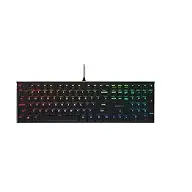 MX 10.0N | |
|---|---|---|---|---|---|
| Best for | Best overall | Best for quiet office typing | Best for tactile feedback | Best wireless | Best low-profile and slim |
| Switch | Cherry MX Red (linear) | MX2A Silent Red (linear) | Cherry MX Brown (tactile) | Cherry MX Red (linear) | Cherry MX Low Profile Speed (linear) |
| Connection | Wired, USB-A to micro-USB | Wired, USB-A | Wired, USB-A to micro-USB | Bluetooth, 2.4 GHz, wired | Not listed |
| Lighting | RGB, 16 million colors | Not listed | RGB | Not listed | RGB |
| Check price at Amazon | Check price at Amazon | Check price at Amazon | Check price at Amazon | Check price at Amazon |
Cherry MX 3.0SBest overallMost recommended by reviewers
Check price at Amazon Cherry KC 200 MXBest for quiet office typing
 Cherry MX 3.0SBest for tactile feedback
 Cherry MX 3.0S WirelessBest wireless
 Cherry MX 10.0NBest low-profile and slim


A full-size gaming board with linear MX Red switches and an aluminum case, suited to fast, smooth play.
Most recommended by reviewers
Check price at AmazonPrices and availability on Amazon change often.
For most people searching for a Cherry MX keyboard, the Cherry MX 3.0S Wired Gaming Keyboard with MX Red switches is the pick we'd recommend first.
The smooth, linear MX Red switches give a direct typing feel without the click, and the extruded aluminum housing feels sturdy on the desk. Full N-key rollover and anti-ghosting mean every keypress registers, which matters during fast gaming sessions. Owner reports weren't available for this pick, so these impressions come from the listed specs and features.
This keyboard is wired only, so the USB cable has to run to your computer. If you want to clear the desk or use it from across the room, the wireless version of the same switch is the better fit.
If it's not for you, the Cherry KC 200 MX Office Keyboard suits quiet office typing, and the Cherry MX 3.0S Wireless Keyboard suits anyone who wants to go cable-free.


A quiet mechanical office board with aluminum styling and handy media keys.
Prices and availability on Amazon change often.

The same aluminum gaming board with tactile MX Brown switches for a bump you can feel on each press.
Prices and availability on Amazon change often.


A rechargeable wireless gaming keyboard that connects by Bluetooth, 2.4 GHz or cable.
Prices and availability on Amazon change often.
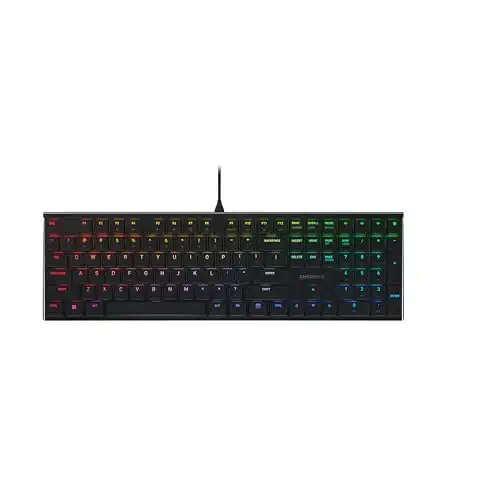




A slim aluminum board with low-profile Cherry MX switches and a fold-out stand.
Prices and availability on Amazon change often.
For gaming, the MX 3.0S with MX Red switches is the most straightforward choice. For quiet office work, the KC 200 MX with silent switches keeps noise down. If you want no cable on the desk, the wireless MX 3.0S is the one to pick.
Yes. Cherry MX switches are well regarded for smooth typing feel and long life, and the aluminum builds on these picks are durable.
Many gamers prefer linear switches such as MX Red for smooth, fast keystrokes, though tactile switches suit people who want feedback. Choose by feel.
Standard MX-style keycaps fit Cherry MX switches. Check the keycap listing to confirm it says MX-compatible before buying.
Why trust ConsumerEcho
This shortlist is built from five Amazon listings for Cherry MX keyboards that are in stock now, weighed against expert roundups and reader discussions. Each pick is matched to a clear use: gaming, office typing, compact desk space or a wireless setup.
Our expert team tests products when it is needed and researches online and in interviews. Every guide is fact-checked and edited by a real person.
The ConsumerEcho editorial team · Updated Nov 22, 2026
How we pickEditorial standardsAffiliate disclosureReport a mistake
We earn a commission when you buy through our links, at no extra cost to you. It never decides the winner.


