
 ASUS ProArt PA279CDVBest all-rounder
- Resolution
- 3840 x 2160 (4K)
- Panel
- QD-OLED, 120Hz
- Color
- 99% DCI-P3, Delta E < 1.5
- Connectivity
- USB-C 96W PD, HDMI, DisplayPort
Most recommended by reviewers
Check price at Amazon


How we make money. If you buy through our links we may earn a commission. It never changes what we recommend. Learn more ›
We earn a commission when you buy through our links, at no extra cost to you. How this works.
Editing video on a Mac means a screen has to show a timeline sharply, keep colors close to what your client sees, and ideally run everything off one cable. Here is what's available right now.
Our No. 1 pick is the ASUS ProArt PA279CDV OLED. It has the contrast and color accuracy editors care about, plus USB-C power delivery for a single-cable setup. The other picks cover Apple's own display, a 5K option, a budget 4K panel and a wide ultrawide.
1 ASUS ProArt PA279CDV | 2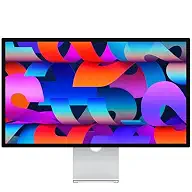 Apple Studio Display | 3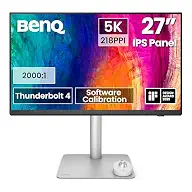 BenQ PD2730S | 4 BenQ PD2770U | 5 BenQ PD3205U | |
|---|---|---|---|---|---|
| Best for | Best all-rounder | Best for Mac users | Best 5K on a budget | Best 4K for color work | Best value |
| Resolution | 3840 x 2160 (4K) | 5120 x 2880 (5K), 218 PPI | 5120 x 2880 (5K), 218 PPI | 3840 x 2160 (4K) | 3840 x 2160 (4K), 32-inch |
| Color | 99% DCI-P3, Delta E < 1.5 | P3 wide color | 98% P3 | 99% Adobe RGB, 99% DCI-P3, 100% Rec.709 | 99% sRGB, 99% Rec.709 |
| Connectivity | USB-C 96W PD, HDMI, DisplayPort | Thunderbolt 5, two USB-C | Thunderbolt 4, 90W power delivery | 96W USB-C, RJ45, KVM | USB-C 90W, HDMI 2.0, DisplayPort 1.4 |
| Check price at Amazon | Check price at Amazon | Check price at Amazon | Check price at Amazon | Check price at Amazon |
ASUS ProArt PA279CDVBest all-rounderMost recommended by reviewers
Check price at Amazon Apple Studio DisplayBest for Mac users
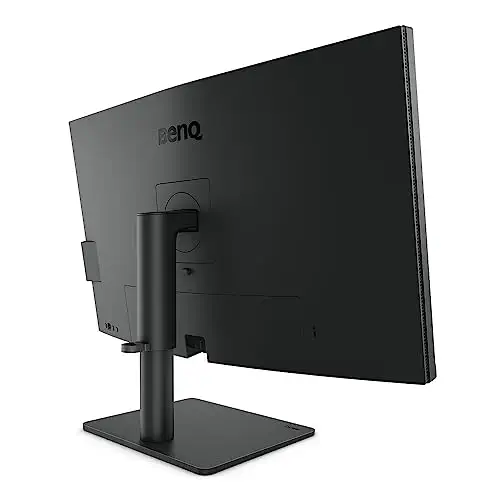
 BenQ PD2730SBest 5K on a budget
 BenQ PD2770UBest 4K for color work
 BenQ PD3205UBest value


Exceptional contrast and color for editing, with one-cable USB-C charging for a laptop.
Most recommended by reviewers
Check price at AmazonPrices and availability on Amazon change often.
The ASUS ProArt PA279CDV is our pick for a Mac-based editor who wants one cable, deep blacks and accurate color in a single 27-inch 4K screen.
Reviewers report that its QD-OLED panel delivers contrast and color that clearly beat IPS monitors, and one expert review found its color accuracy (Delta-E 0.69) and brightness uniformity excellent in lab testing. Its USB-C port carries up to 96W of power delivery, which suits a laptop editor who wants a tidy one-cable setup. The panel is factory-calibrated with a Mac-optimized color temperature, and the 120Hz refresh rate keeps timelines smooth. Owners on r/Monitors report that the PA279CDV's color accuracy is very good, with the OLED edging out a well-calibrated IPS.
It has no built-in hardware calibration or colorimeter, so you will need a separate calibrator to keep it accurate over time. Its 4K resolution is also lower in pixel count than the 5K displays from Apple and BenQ.
If it's not for you, the Apple Studio Display suits Mac owners who want 5K sharpness and a built-in camera and speakers, while the BenQ PD2770U suits color-critical work that needs automated hardware calibration.
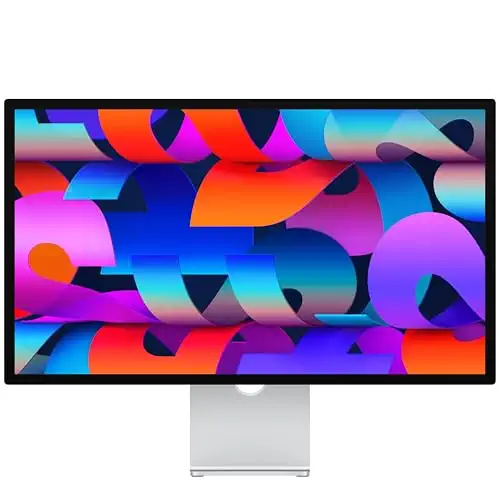


Apple's own 5K panel, made to pair with a Mac mini or Mac Studio.
Prices and availability on Amazon change often.
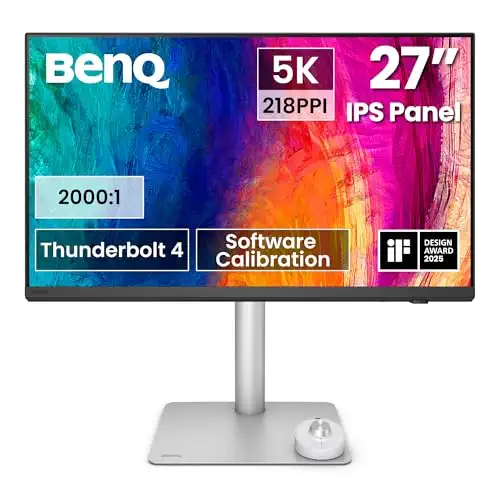


A competitor to the Apple Studio Display at a lower price, with 5K sharpness and daisy-chaining.
Prices and availability on Amazon change often.


Factory calibration that stays accurate year to year, with 99% DCI-P3.
Prices and availability on Amazon change often.



A 4K IPS panel with USB-C and accurate color at a value price.
Prices and availability on Amazon change often.
Mac mini or Mac Studio owners often pick the Apple display. Laptop editors get the most from USB-C power delivery. Colorists should look for DCI-P3 coverage and hardware calibration.
The ASUS ProArt PA279CDV is our top pick for a MacBook, because its USB-C power delivery runs the laptop from one cable while the OLED panel delivers strong contrast and color.
4K is the better choice for editing on a Mac, giving sharper text and room for timelines. 5K goes further if you want macOS scaling at its sharpest.
A 4K monitor lets you see 4K footage at full detail. It isn't strictly required, but reviewers now treat it as close to essential for camera footage.
Why trust ConsumerEcho
We built this shortlist from three editorial reviews and two reader discussions, then checked each product is listed and in stock on Amazon. Picks are matched to Mac editing needs: sharpness, color accuracy, and one-cable connectivity.
Our expert team tests products when it is needed and researches online and in interviews. Every guide is fact-checked and edited by a real person.
The ConsumerEcho editorial team · Updated Nov 22, 2026
How we pickEditorial standardsAffiliate disclosureReport a mistake
We earn a commission when you buy through our links, at no extra cost to you. It never decides the winner.


