
 BenQ PhotoVue SW272UBest overall
- Resolution
- 4K UHD (3840 x 2160)
- Panel
- 27 inch IPS
- Colour gamut
- 99% Adobe RGB, 99% P3, 100% sRGB
- Refresh rate
- 60Hz
Most recommended by reviewers
Check price at Amazon


How we make money. If you buy through our links we may earn a commission. It never changes what we recommend. Learn more ›
We earn a commission when you buy through our links, at no extra cost to you. How this works.
If you edit photos, the monitor is the one tool that decides whether your colours look right on paper and on screen. A 27 inch panel is the size most people sit with at a desk, so the question is which one shows accurate colour without costing a fortune.
Our top pick is the BenQ PhotoVue SW272U, a 4K monitor with factory calibration and hardware calibration that keeps it accurate whichever computer you plug in. The other picks cover Mac users, a stricter budget and a no-frills option for lighter editing.
1 BenQ PhotoVue SW272U | 2 BenQ PD2706QN | 3 ASUS ProArt PA278QV2 | 4 ASUS ProArt PA279CRV | |
|---|---|---|---|---|
| Best for | Best overall | Best for Mac users | Best budget pick | Best 4K for the money |
| Resolution | 4K UHD (3840 x 2160) | 2K QHD (2560 x 1440) | 2560 x 1440 | 4K UHD (3840 x 2160) |
| Panel | 27 inch IPS | Not listed | 27 inch IPS | Not listed |
| Colour gamut | 99% Adobe RGB, 99% P3, 100% sRGB | 95% P3, 100% sRGB/Rec.709 | 95% DCI-P3, 100% sRGB | 99% DCI-P3, 99% Adobe RGB |
| Refresh rate | 60Hz | 100Hz | 120Hz | Not listed |
| Warranty | 3 years | Not listed | Not listed | 5 years including extension |
| Delta E | Not listed | Average 2 or better | Less than 2 | Less than 2 |
| Check price at Amazon | Check price at Amazon | Check price at Amazon | Check price at Amazon |
BenQ PhotoVue SW272UBest overallMost recommended by reviewers
Check price at Amazon BenQ PD2706QNBest for Mac users
 ASUS ProArt PA278QV2Best budget pick
 ASUS ProArt PA279CRVBest 4K for the money


A 4K photo monitor with factory calibration and hardware calibration that stays accurate on any computer.
Most recommended by reviewers
Check price at AmazonPrices and availability on Amazon change often.
The BenQ PhotoVue SW272U is our top pick for photographers who want a 4K monitor that stays accurate no matter which computer it's plugged into.
Its hardware calibration keeps colour stable regardless of the connected computer, which matters if you move between machines or share one display. The panel covers 99% Adobe RGB and 99% P3 alongside full sRGB, giving editing work room in the wider colour spaces. Reviewers report factory calibration to Delta E of 1.5 or better and found it performed brilliantly in their testing, and the box includes a calibration report and shading hood.
It costs noticeably more than comparable 4K rivals, and reviewers point to the Dell UltraSharp U2723QE as a cheaper alternative that is easier to justify. The 60Hz refresh rate suits editing well but is not built for fast motion.
If it's not for you, the ASUS ProArt PA279CRV offers 4K with 99% Adobe RGB at a lower price and a 96W USB-C charge, while the BenQ PD2706QN suits Mac users who want one cable for video, data and charging.


A 2K Mac-ready monitor with 90W USB-C charging and ICCsync for matching colour between your Mac and the screen.
Prices and availability on Amazon change often.


A Calman-verified 1440p IPS monitor with a calibrated colour gamut and a 120Hz refresh rate for a lower price.
Prices and availability on Amazon change often.


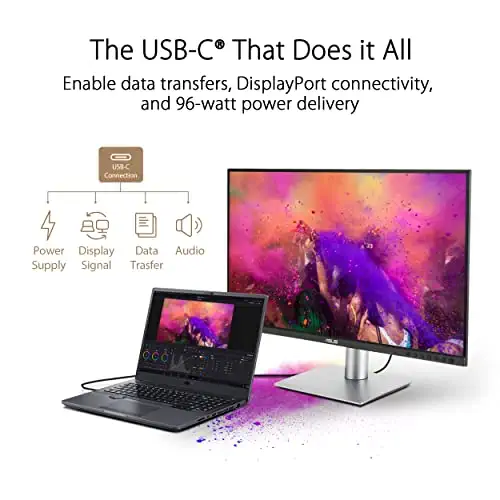
A factory-calibrated 4K monitor with 99% DCI-P3 and 99% Adobe RGB coverage and USB-C power delivery.
Prices and availability on Amazon change often.
For photo editing the review found its OLED pick clearly richer in contrast than any IPS monitor it tested, but IPS panels remain the common choice for colour work and are far cheaper. The OLED's Adobe RGB coverage measured lower than some IPS rivals, so the advantage is mainly contrast rather than colour gamut.
IPS is the usual choice for accurate colour work and costs less. OLED gives deeper contrast, but the review found its Adobe RGB coverage lower than some IPS rivals.
The BenQ PhotoVue SW272U is our top pick for its hardware calibration and wide colour coverage. The ASUS ProArt PA279CRV is a strong 4K option at a lower price.
Why trust ConsumerEcho
Our shortlist starts from a photo editing review and reader discussions about 27 inch screens. Every pick is an Amazon listing that is in stock now, and we weighed colour coverage, calibration and connectivity against each other.
Our expert team tests products when it is needed and researches online and in interviews. Every guide is fact-checked and edited by a real person.
The ConsumerEcho editorial team · Updated Nov 22, 2026
How we pickEditorial standardsAffiliate disclosureReport a mistake
We earn a commission when you buy through our links, at no extra cost to you. It never decides the winner.


