




The Eufy X10 Pro Omni is one of the best robot vacuum cleaners available. We’ve all been in the same situation, where vacuuming the house gets left to the last possible moment. Sometimes the thought “Can’t someone else do it?” crosses your mind, and this is where the X10 Pro Omni comes in.
Available since 2024, the X10 Pro Omni is a mid-range robot vacuum from Eufy that can map your home and mop, as well as vacuum different areas with different carpets. No subscription is required to use any of its features, and everything is controlled through the Eufy app. I’ve owned this robot vacuum for the past year, and I’ve been happy with it overall, though there are some things I’d love to see improved in the future.
A robot vacuum and mop that takes a whole chore off your list. It was simple to set up, it vacuums and mops consistently, and the app makes scheduling easy. Untangling wires from the roller and the cost of a new battery are the main drawbacks.
What I liked
- Simple to set up
- Various modes let you customize the cleaning
- Mopping works well
What I didn't like
- Untangling wires can be a hassle
- Replacing the battery can be expensive
My year with the Eufy X10 Pro Omni at a glance
| What | How it went |
|---|---|
| Time owned | About a year |
| Where | My apartment |
| Setup | Paired with Wi-Fi in the Eufy app, let it map the home, then picked rooms |
| Vacuuming | Pet hair and muddy spots gone after a day out |
| Mopping | Shiny floors almost every time |
| Battery | Two full cleans of my apartment with 10% left |
| Noise | As loud as a regular vacuum on low, medium and high |
| Main snag | Loose wires tangled in the roller; the app flagged it |
| Score | 9/10 |
Specifications
| Spec | Eufy X10 Pro Omni |
|---|---|
| Type | Robot vacuum and mop with an all-in-one station |
| Suction | 8,000 Pa |
| Mopping | MopMaster 2.0, dual rotating mop pads, 180 RPM, 1 kg downward pressure |
| Mop lift on carpet | 12 mm |
| Navigation | iPath Laser Navigation |
| Obstacle avoidance | AI.See, recognizes over 100 objects |
| Obstacle clearance | 21 mm |
| Station | Self-emptying, mop washing, mop drying with 45°C (113°F) heated air |
| Dust bag | 2.5 liters |
| Clean water tank | 3 liters |
| Robot size (W x D x H) | 327 x 353 x 113.5 mm (about 12.9 x 13.9 x 4.5 in) |
| Station size (W x D x H) | 366 x 480 x 460 mm (about 14.4 x 18.9 x 18.1 in) |
| Wi-Fi | 2.4 GHz only |
| App and voice | Eufy app; Amazon Alexa and Google Assistant |
| Colors | Black, White |
Design
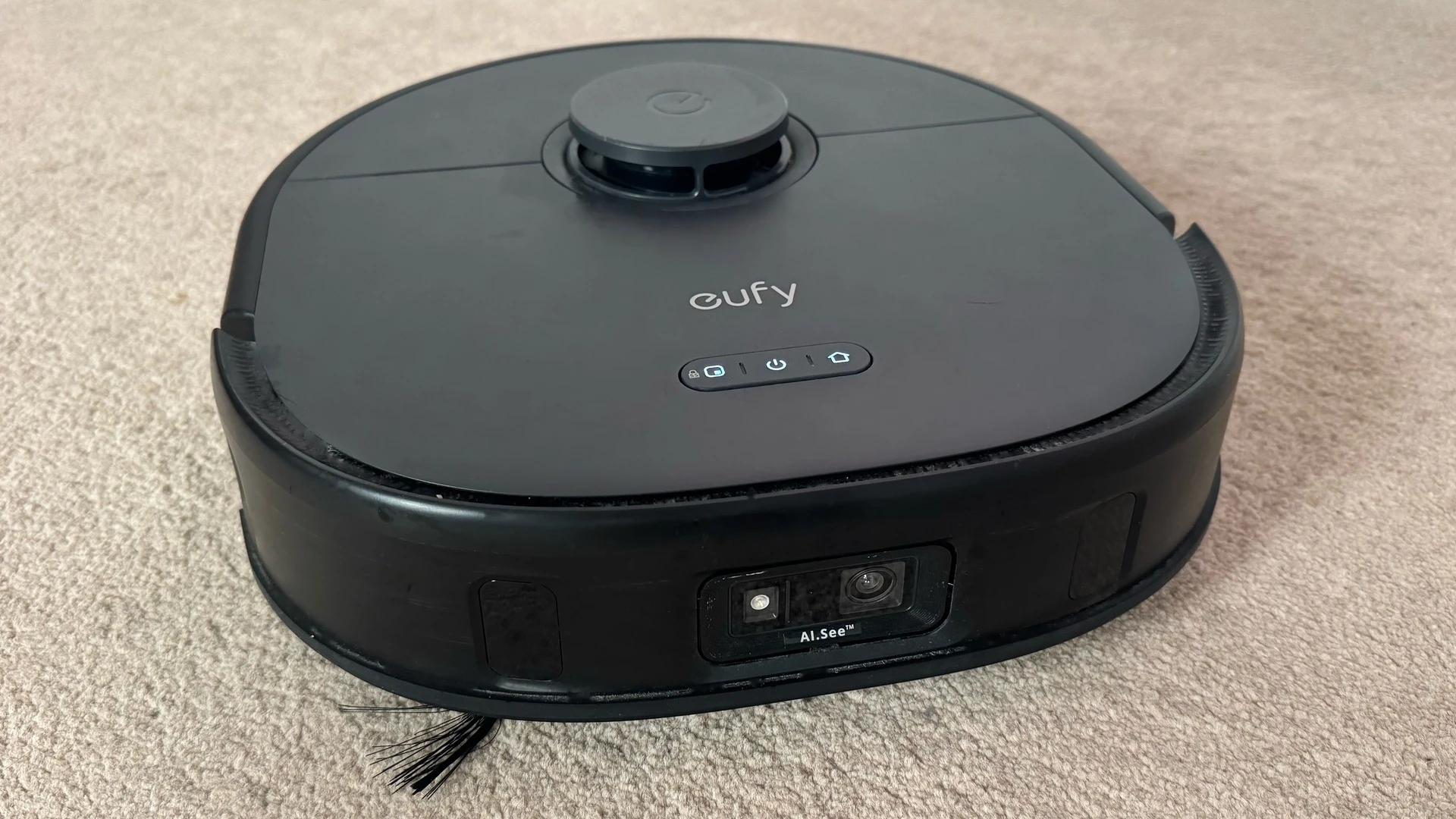
The vacuum itself is a disc-shaped robot with six sensors, three cameras, two mops, one roller, and three wheels. Everything can be taken apart and cleaned when needed, and a small hatch lets you empty the filter. It fits in the corner of a room without sticking out, so it can easily become part of the furniture.
 Check price at Amazon
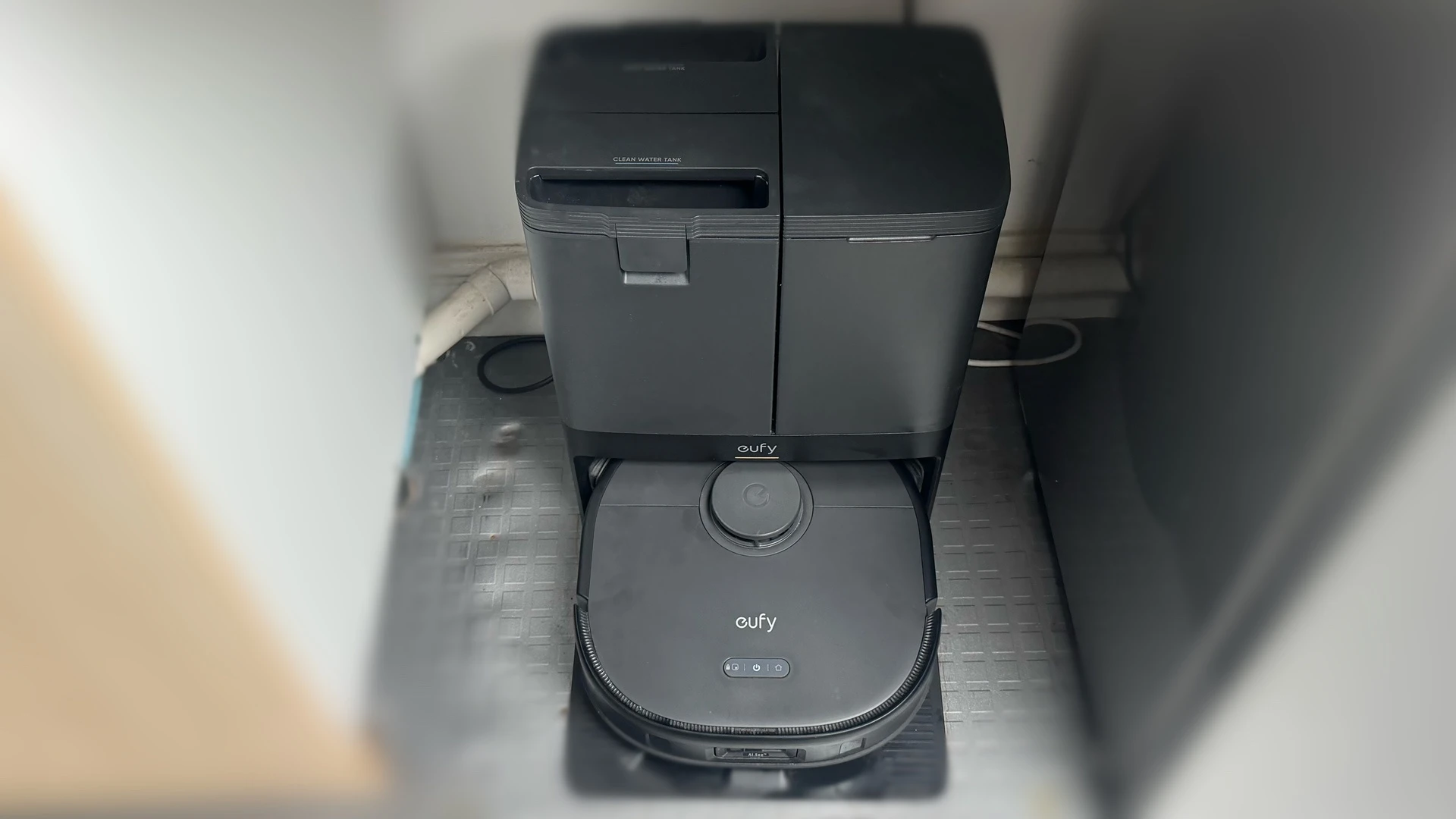
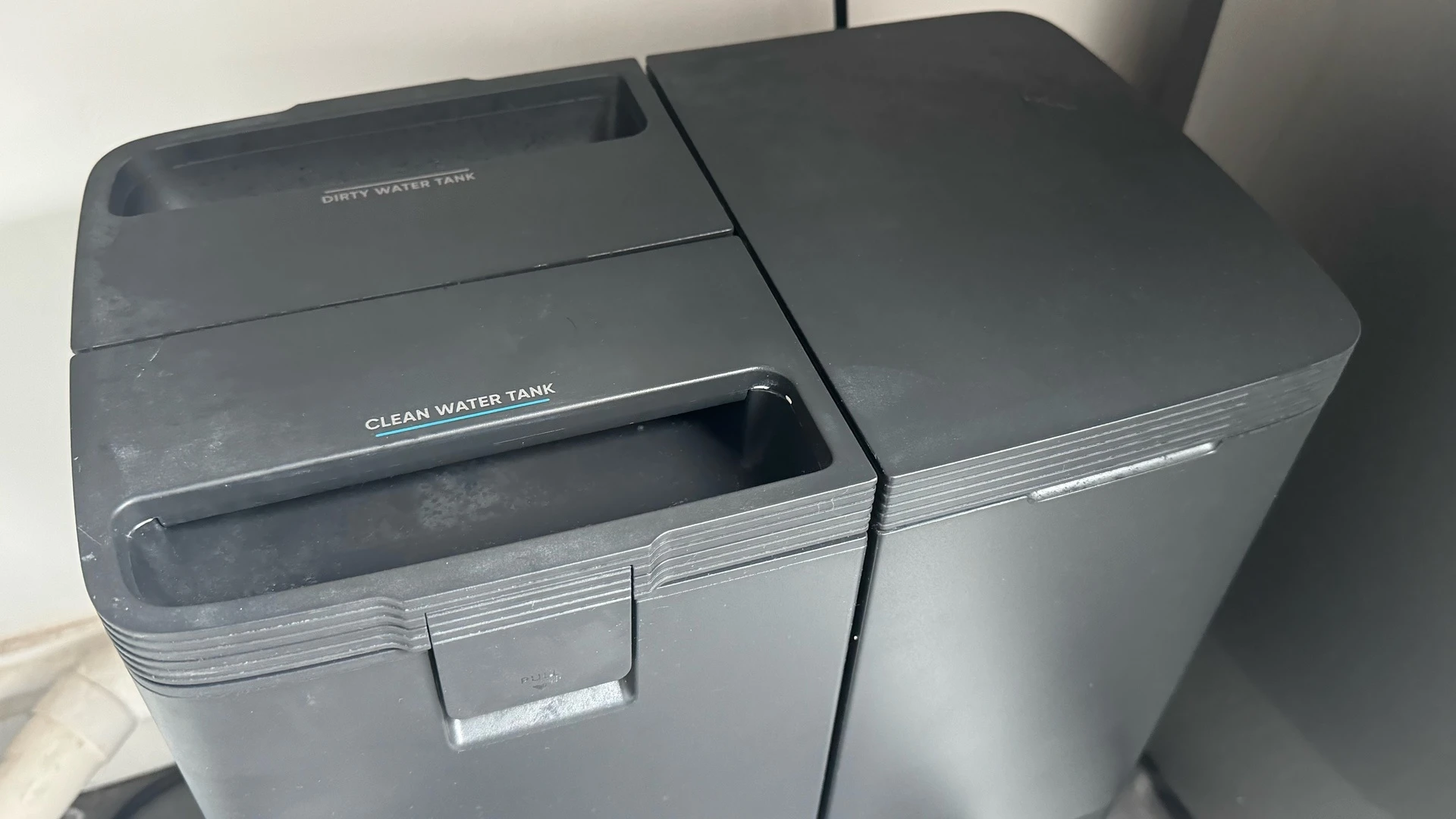
The docking station is about 18 inches (460 mm) tall, according to Eufy. It has two compartments, one for clean water and one for dirty water, and both are easy to remove and put back. Maintenance is simple enough for anyone, and as a bonus, the app lets you know when something needs looking at.
Noise
Whether the X10 Pro Omni mops, vacuums or does both, you’ll hear it wherever it is. Even with three modes (low, medium and high), it’s as loud as a regular vacuum. If your pets have been scared of robot vacuums in the past, be aware that this one may scare them too. Still, you can always set the X10 Pro Omni to clean while you’re out, using the Eufy app.
App and setup
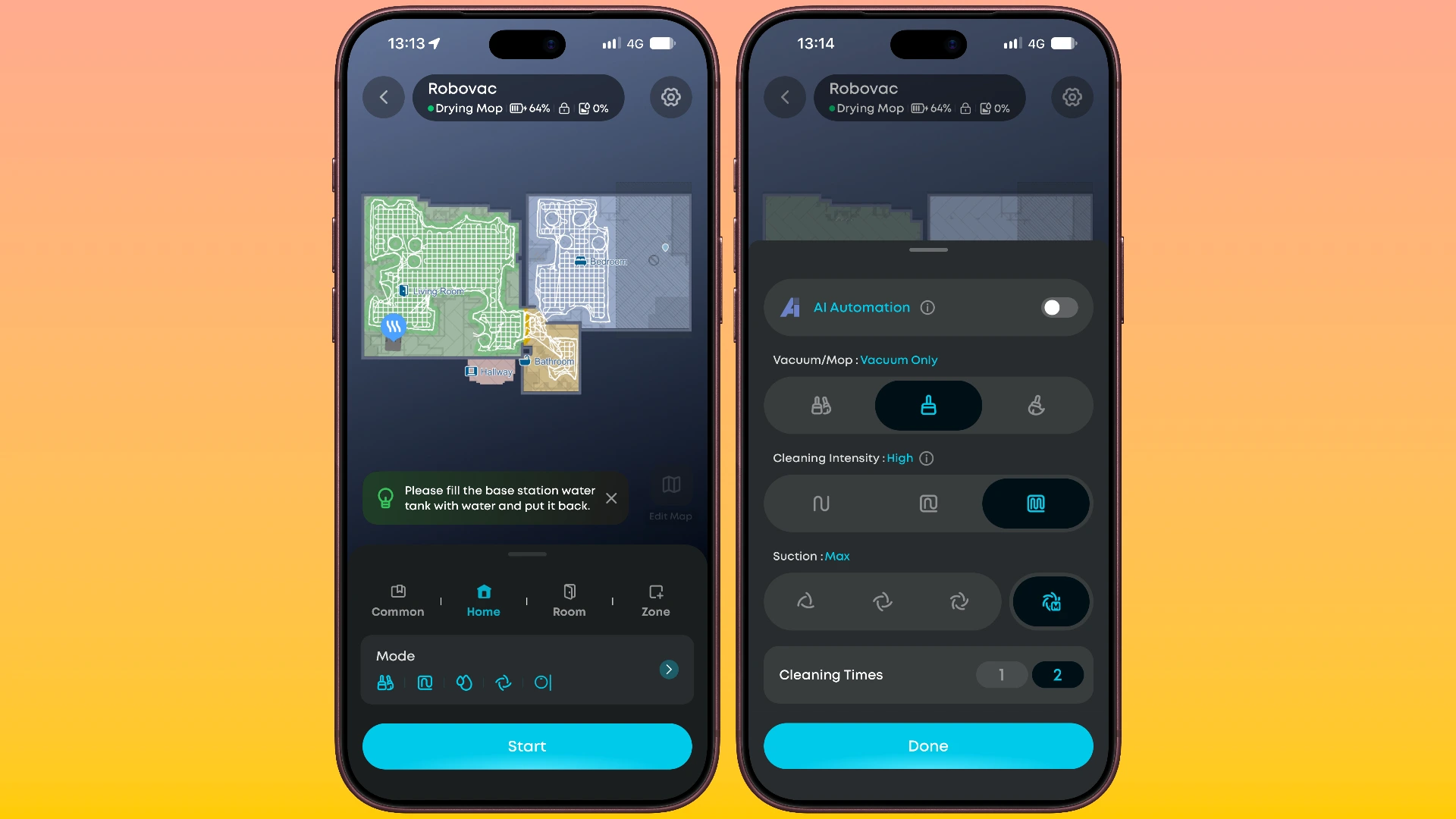
The Eufy app, available on iOS and Android, is required to set up the X10 Pro Omni and Eufy’s other robot vacuums. Once the robot is switched on, you only need to pair it with your Wi-Fi in the app, and you’re good to go. After the X10 maps your home, you can easily pick the rooms you want it to clean. Everything feels quick to use, with options to vacuum, mop or do both.
Put together, the X10 Pro Omni is a great addition to your home and doesn’t get in the way.
Features and performance
Scheduling and no-go zones
When it comes to features, the X10 Pro Omni and the Eufy app are a powerful combination. Once both are set up, you have plenty of options to make it do the cleaning for you without you even noticing. For example, you can schedule it to clean your whole home, or part of it, during the night. Want it to do the job twice, or vacuum one room while it vacuums and mops another? It’s possible.
If part of a room is off-limits, you can add a no-go zone that the X10 will avoid. And thanks to its sensors and camera, if something has moved or fallen without you knowing, the robot will avoid that too.
When it gets stuck
There will also be moments when a wheel gets jammed or a loose wire ends up in the roller. I speak from experience. The app lets you know, the X10 stops so you can deal with the issue, and then it can resume.
Manual control
You can also drive the X10 manually from the app. The latency is low, so there’s barely a delay between pressing a direction and the vacuum responding. It can also follow you if you wish. The only drawback is that it only vacuums, not mops, in this mode.
Vacuuming and mopping results
But when it actually vacuums and mops? It’s a great success. Pet hair and muddy spots were gone when I came back from a day out with my son, and the bathroom was freshly mopped. I wasn’t expecting a shiny floor, but I got one almost every time. Emptying the dirt is easy and only takes minutes.
Child lock and battery life
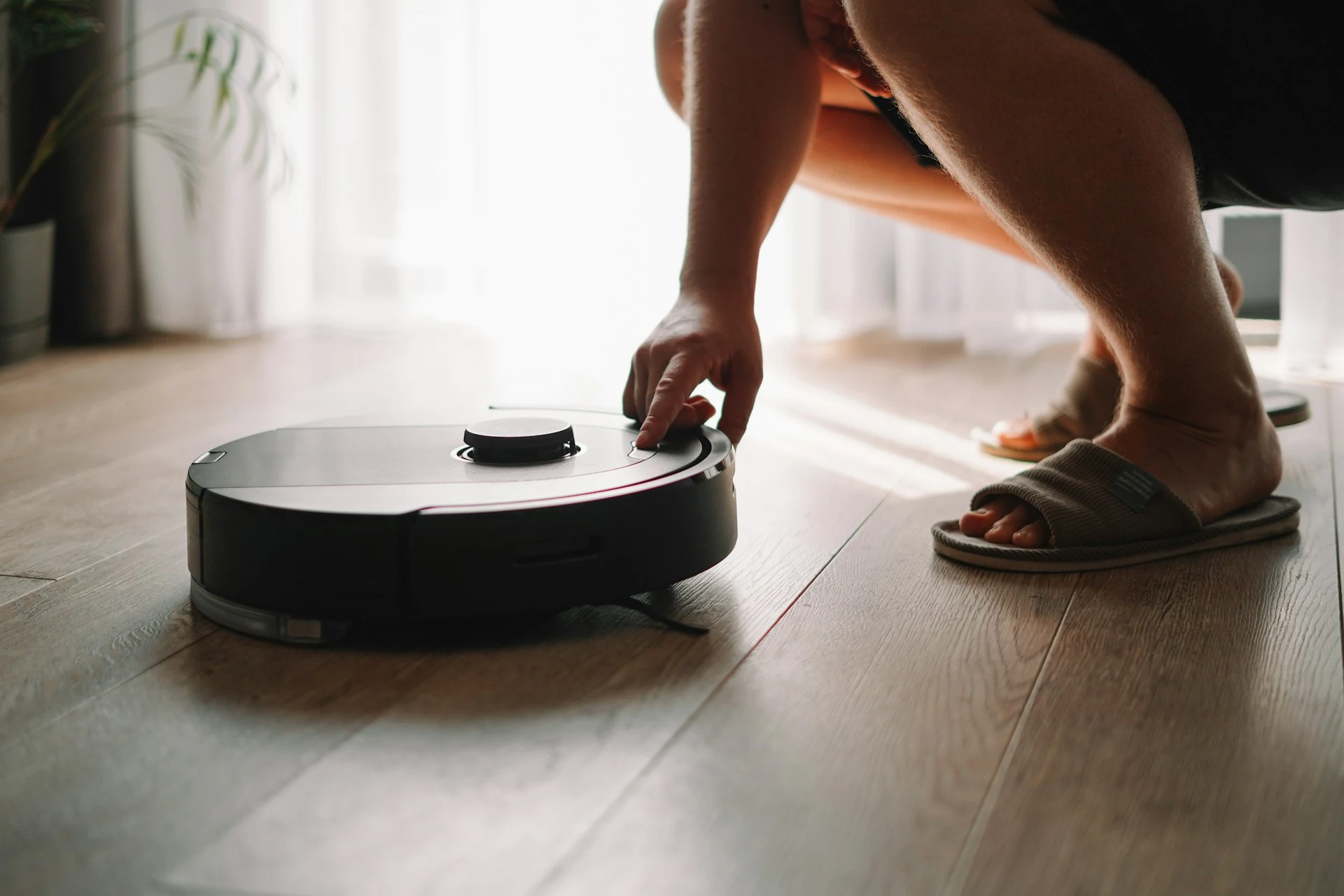
Children can be a factor, too. There are several buttons right on the X10 that can stop it, pause it or send it back to its docking station. Thankfully, there’s a child lock, so the vacuum can go about its business.
Battery life is great: my apartment got two cleans with 10% left. If the battery drops below that, the X10 goes back to the station to charge, and when it has enough juice, it resumes cleaning.
Maintenance
Taking the X10 apart for maintenance is easy, too. Almost every piece comes apart without fuss, and replacement parts are easy to find. Even the battery is easy to replace, although it’s the most expensive part to buy, so it’s worth watching for sales events like Black Friday.
Who it is for
Buy it if
- You want a robot that vacuums and mops with no subscription
- You want to schedule cleans while you sleep or are out
- You want room-by-room control from an app
Skip it if
- Your pets are scared of loud vacuums
- You often have loose cables on the floor
Final verdict
As someone new to robot vacuums, I was impressed by the Eufy X10 Pro Omni. It took over the one chore I’ve never looked forward to, no matter how much music I played to soften it. It’s the one robot I’m happy to have in my home, because it does one job well: vacuuming and mopping the floors.
Performance is consistent when vacuuming and mopping. I didn’t run into major issues, apart from when some wires got tangled in the roller. The app notified me, but it would help if the X10 could reverse the roller when it detects a wire being vacuumed up, to free it. Overall, though, the floors have stayed clean while I’ve been in another country or fast asleep, and that’s a big win for me.
The Eufy app is also easy to use. Within three taps, you can have the X10 vacuum your whole home or a few rooms while you’re out with family or on vacation. Being able to block off parts of some rooms is a great touch too, as Eufy is clearly aware that rooms can change, whether that’s planned or not.
It’s an investment for your home, but it also takes the edge off chores all of us do daily. If you want to get rid of your standard vacuum and have something that does the chore for you, the Eufy X10 Pro Omni is a great option.
For more ways to hand off the chores, see our robotic pool cleaners roundup and our 10 time-saving kitchen appliances.
Where to buy
We may earn a commission. It does not change what we measured.
Who tested it
Sources and further reading
- Eufy X10 Pro Omni product page, Eufy, suction, mopping, mop lift, navigation, obstacle clearance, station, dimensions and voice assistants
- Eufy X10 Pro Omni, Black, Amazon listing, obstacle avoidance, dust bag, clean water tank, Wi-Fi and colors
What we could not test
- These are observations from a year of everyday use at home, not a lab test. Specifications come from Eufy and the Amazon listing, not our own measurements.
Questions
Does the Eufy X10 Pro Omni need a subscription?
No. Every feature I used over the year works through the free Eufy app, with no subscription.
Can the Eufy X10 Pro Omni vacuum and mop at the same time?
Yes. You can set it to vacuum, mop or do both, and choose different settings for different rooms in the app.
Is the Eufy X10 Pro Omni loud?
Yes. In my home it was about as loud as a regular vacuum on all three modes, so you may want to schedule it for when you’re out.
How long does the battery last?
In my apartment it finished two full cleans with 10% left. If the battery runs low mid-clean, it goes back to the station, recharges and then resumes.
Does the Eufy X10 Pro Omni have a child lock?
Yes. A child lock stops little hands from using the buttons on the robot to stop or pause it.