



My laptop has exactly one USB-C port, an HDMI port and a couple of USB-A ports for peripherals. That’s it. No extra USB-C ports, no SD card slot, no dedicated charging port. That means every time I want to add an extra monitor or import photos from a camera, I have to reach for a different dongle. Adding extra monitors is particularly annoying, since I absolutely need that USB-C port to charge the laptop, as the battery is not what it used to be.
So, I absolutely need a docking station, because I need at least two monitors for my workflow, and that’s something the Baseus Spacemate RD1 Plus can easily help me with. This docking station has 14 different ports that you connect to your laptop through a single cable, and it’s an absolute dream.
The Spacemate RD1 Plus may be versatile, but it can be a bit pricey at full price. Thankfully, we’ve already seen some impressive discounts on it, so if the timing is right, you could save a good amount on your purchase. A similar 14-in-1 dock from Anker costs a little more, while another dock from Ugreen costs less but doesn’t come with a smart display.
A 14-in-1 dock that solves the port problem of thin-and-light laptops with one cable. It ran two 4K monitors reliably, charges a laptop and a phone at once, and its smart screen and card readers earn their place on the desk. The short host cable and Mac display limits are the main drawbacks.
What I liked
- Great port selection that covers multi-monitor and peripheral needs in one hub
- Fast, reliable performance with minimal daily troubleshooting
- Intelligent LCD display for quick status and power checks
- Flexible placement, either vertical or horizontal, to fit different desk setups
- Genuinely solves the port limitations of modern thin-and-light laptops
What I didn't like
- The included connection cable is shorter than ideal for some desk configurations
- The one-touch privacy button needs a two-second press, which can be annoying when you’re in a hurry
- On a Mac, two independent extended displays aren’t supported
- Premium pricing, though Black Friday and other promotional discounts can bring the cost down significantly
At a glance
| What | How it went |
|---|---|
| Setup | Windows laptop on a laptop raiser, two monitors, mouse and keyboard |
| Placement | Upright, to the left of the laptop |
| Monitors | Two at up to 4K and 60Hz; all woke up without replugging |
| Phone charging | Samsung Galaxy S24+ from 3% to 100% in just over an hour |
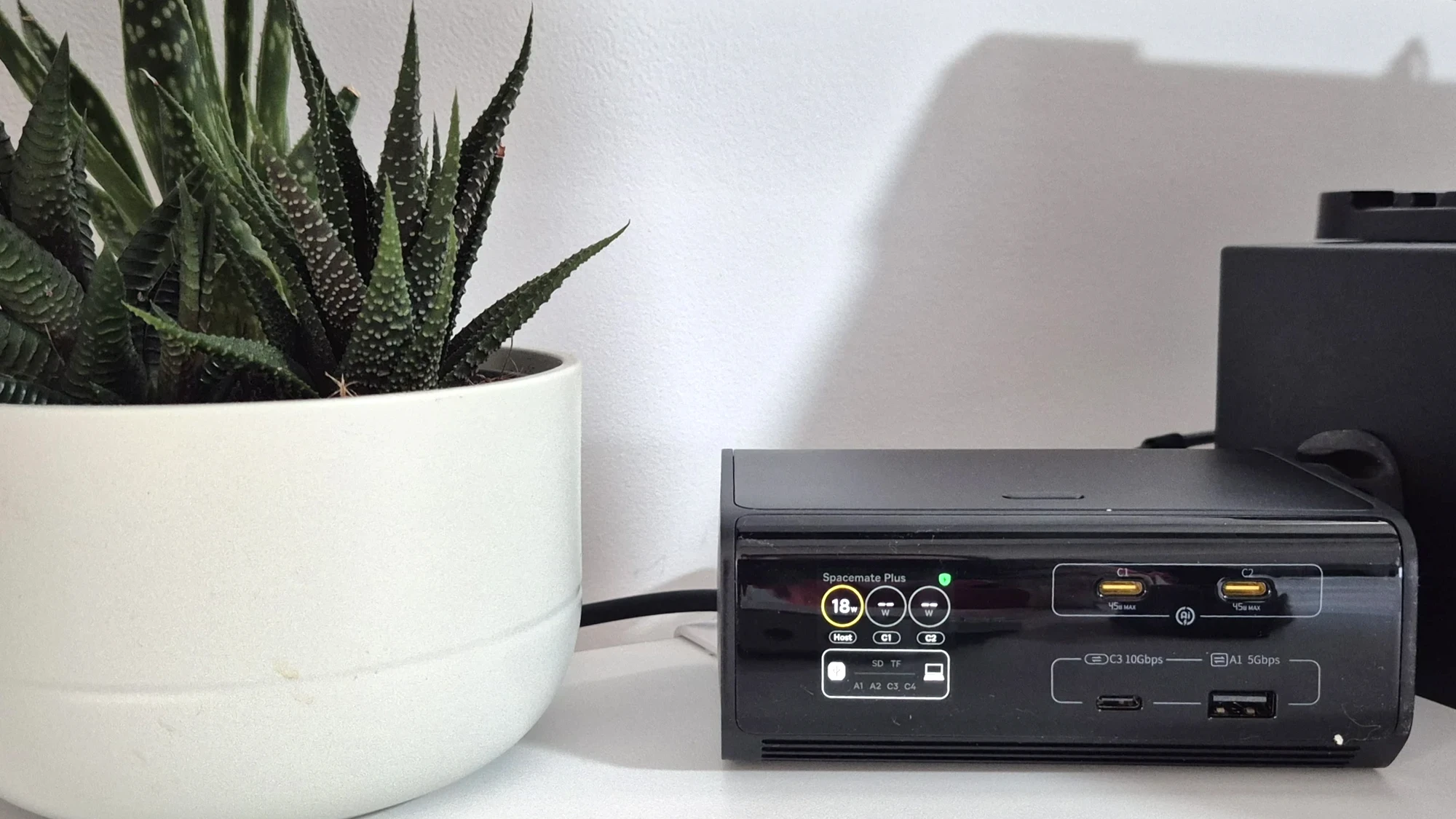
| Smart screen | Showed what was connected and the wattage on each port |
| Card readers | SD and microSD, used for dashcam and camera files |
| Main snag | The host cable barely reached the laptop |
Specifications
| Spec | Baseus Spacemate RD1 Plus |
|---|---|
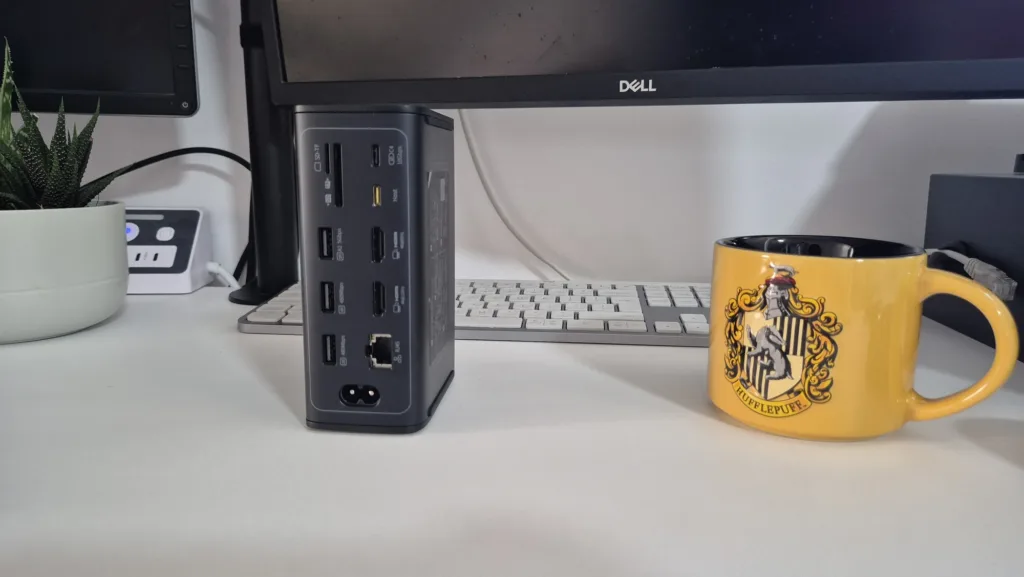
| Ports | 14: USB-C host (up to 100W to the laptop), 2 USB-C PD (up to 45W), 2 USB-C data (10Gbps), 2 HDMI (one up to 4K 120Hz), 4 USB-A (two 5Gbps, two 480Mbps), Gigabit Ethernet, SD and microSD |
| Display support | One display at 4K 120Hz, or two at 4K 60Hz |
| Power | Built-in 140W GaN power supply, up to 120W total output |
| Card readers | SD and microSD at the same time, up to 104MB/s |
| Host cable | USB-C to USB-C, 27.56 inches |
| Compatibility | Windows; Mac works, but without extended display mode |
| Other features | Auto-rotating status screen, smart power allocation, one-button privacy lock (2-second press), flat or upright placement |
Design
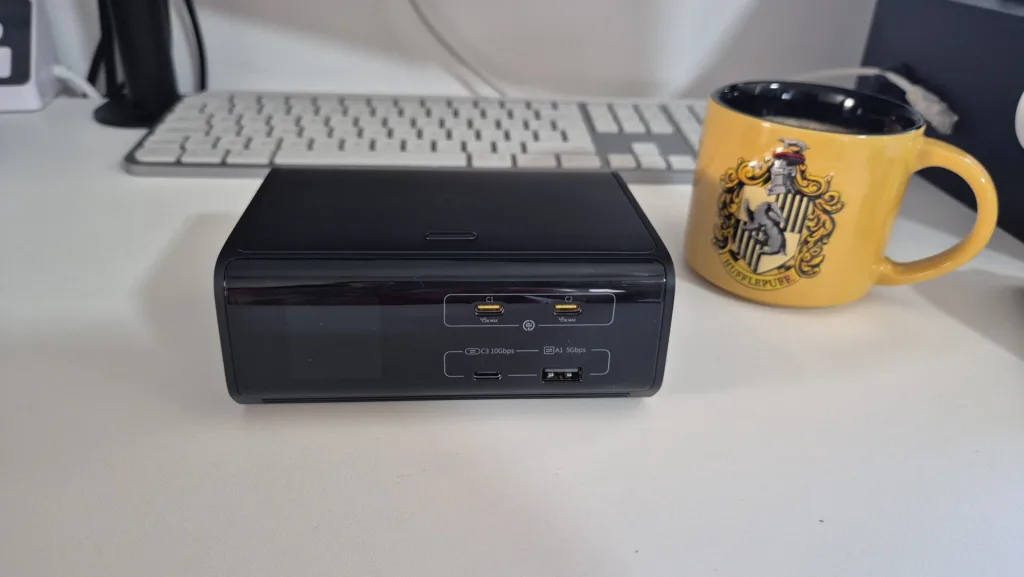
The Spacemate RD1 Plus has a clean design that you won’t hate seeing all day. It has a dark, matte casing that feels premium, which is great news considering how much it costs. This isn’t exactly the type of device you’ll use as a centerpiece on your desk, so it probably doesn’t matter much if it’s beautiful or not. Let’s just say you won’t want to hide it.
 Check price at Amazon
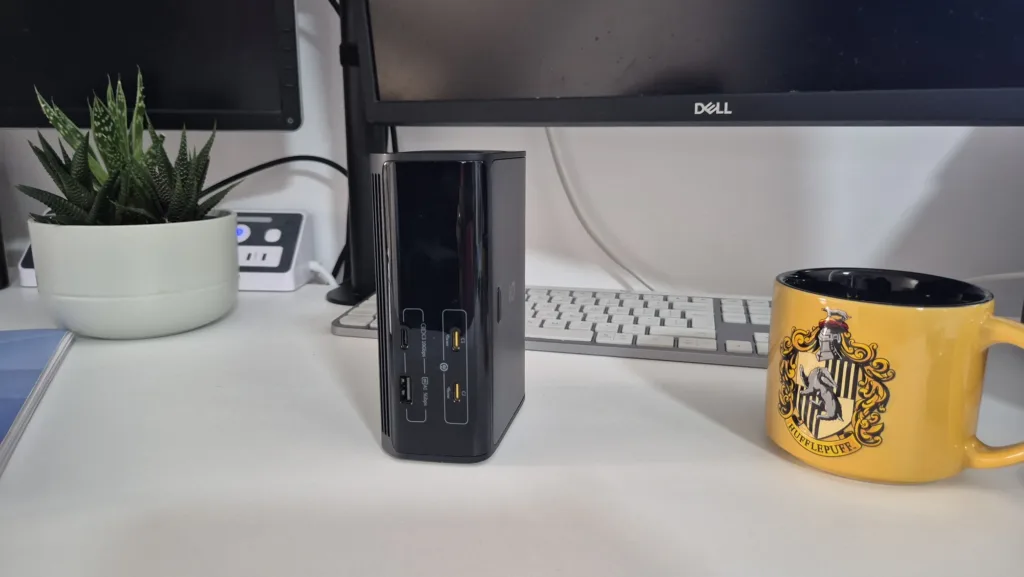
One of the features I really appreciated as I was trying to find the right place for this thing was that it can either sit flat on the desk or stand upright, depending on how much surface space you have to spare. Originally, I wanted to have it sit flat under my lifted monitors, but I ended up shoving it to the left of my laptop raiser. That’s mostly because the included cable did not reach my laptop’s charging port. But we’ll get to that in a bit.
Since there are two positions you can place the dock in, the auto-rotating screen makes perfect sense, because it automatically adjusts its orientation. That means it’s easy to read without you having to tilt your head or squint at it sideways.
Performance
Ports and displays
This dock is rightfully labeled 14-in-1, and it manages to address pretty much any issue you may have. Do you need extra ports for peripherals and data transfers? It has USB-A and USB-C ports. You want to add some monitors? There are two HDMI ports. Do you want stable wired internet? There’s an Ethernet port. Do you want to check out that near-accident from earlier? You can pop the microSD card in it. And the thing is, it does everything well.
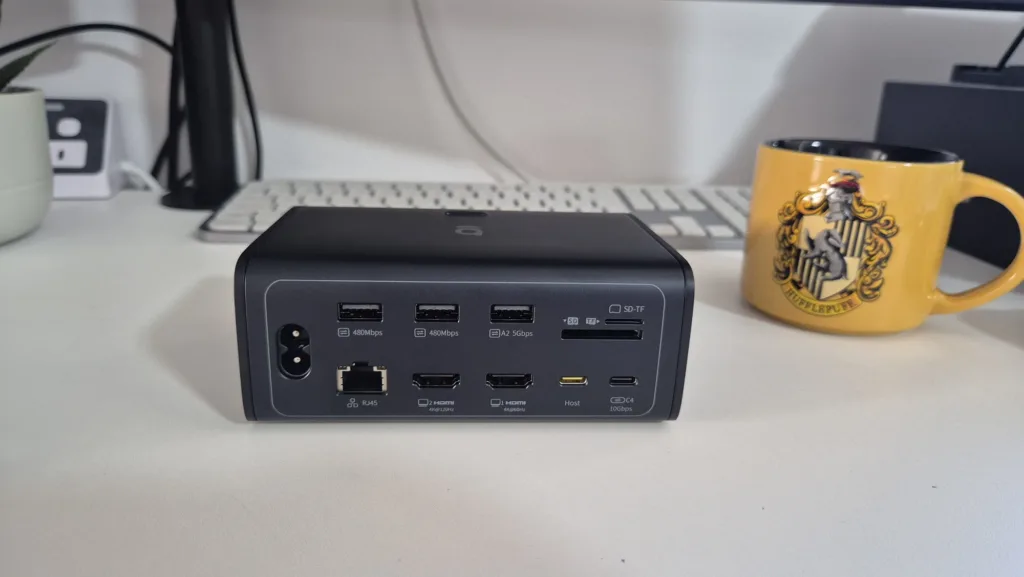
For displays, the dock supports a single external monitor at up to 4K resolution and a 120Hz refresh rate. If you want to connect two monitors at the same time on a Windows system, each can run at up to 4K and 60Hz. I chose the latter, because I need all the space I can get to make my workflow easier.
Power
Powering all of this is a built-in 140W GaN power supply, with up to 120W of total output. The fact that it’s built in is pretty cool, because it means you don’t have an extra adapter to hide somewhere, but it also means the docking station itself is pretty heavy. That doesn’t matter too much, because you won’t be moving this thing around the house all day, but now you know why the package is so heavy when the order comes in.
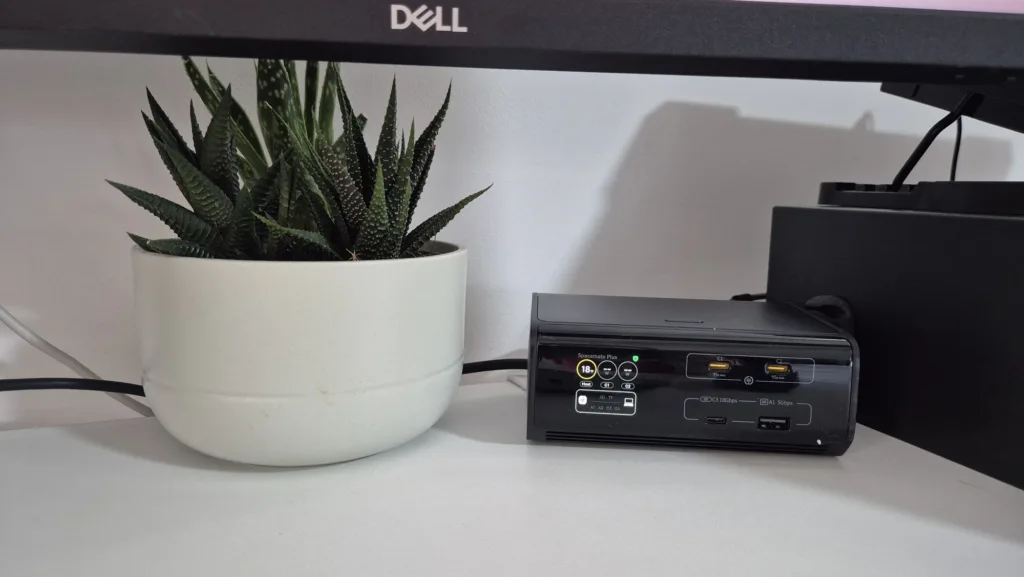
Also pretty great is the intelligent power allocation, which prioritizes your laptop while still leaving enough capacity for other connected devices. In practical terms, your laptop can get up to 100W, while the front USB-C ports can deliver up to 45W of charging. That was more than enough to take my Samsung Galaxy S24+ from 3% to 100% in just over an hour.
The smart screen
The built-in LCD screen is genuinely useful here. I could see exactly what was connected and how much power was being pushed through each port. I could even see the power drop when my phone’s battery was past the 80% mark, and then drop to 0W when the battery was full. I didn’t have to unlock my phone to see the charging session was done.
Day-to-day reliability
In day-to-day use, I really enjoyed using this dock. One issue I had with the Dell dock I used before was that I’d sometimes have to unplug and replug the cable so all my monitors turned on. That was not a problem with the Baseus Spacemate. Peripherals like my mouse and keyboard reconnect without any issue as well.
Everyday wins
Specs are great and all, but it’s the everyday convenience that’s made me appreciate this Baseus docking station.
Built-in card readers
The built-in SD and microSD card readers alone have been so great to have. I used to dig through a drawer full of tangled cables looking for a tiny keychain card reader every time I needed to grab videos from my dashcam or photos from a camera. I know, I know, I could always put that card reader in the same spot, but I embrace the chaos. Anyway, now I just slide the card into the dock. It’s a small thing, but it adds up when you’re doing it multiple times a week.
One-button privacy lock
The one-button privacy feature is another highlight. With one long press, you can lock your laptop and connected displays, which is handy if you don’t have a dedicated lock key on your keyboard or don’t want to use the keyboard shortcut. Even if you don’t work in an office where privacy is important, you might want to lock the computer when you walk away so your cat doesn’t tap dance on your keyboard and send your boss a message.
The one catch: a short cable
While it’s true that it cuts cable clutter, the docking station does introduce one inconvenience of its own: the included cable connecting the dock to your laptop is on the short side, at about 28 inches. On my laptop, the port is on the right side, and due to my desk setup, the dock sits to the left of the laptop. The cable barely reaches around it. Barely. So, if your desk setup doesn’t let you move your laptop close to the dock, you may find yourself angling things around just to win another quarter of an inch. It’s worth buying a longer, compatible USB-C cable if your workspace needs more distance.
Who it is for
Buy it if
- You rely on a Windows laptop and need seamless multi-monitor support
- Your desk setup includes multiple peripherals, and you want to eliminate dongle clutter
- Consistent, reliable peripheral connectivity is a priority for your workday
Skip it if
- You mainly use a Mac, as compatibility is limited
- Portability is a key concern, as this dock is designed for stationary setups
Final verdict
If you’re juggling multiple monitors, external drives and a laptop with too few ports, this docking station solves quite a few of your problems. The combination of dual 4K display support, built-in card readers and smart power management makes the Baseus Spacemate RD1 Plus easy to recommend. That said, it’s best suited to Windows users running multi-monitor setups. Mac owners who need two independent extended displays won’t find this model as useful.
Based on everyday use, this dock gave me reliable monitor wake-up, stable peripheral reconnection and genuinely useful card readers. Just consider buying a longer, full-featured USB-C cable as well. Also, keep an eye out for seasonal discounts, since this docking station is a bit on the expensive side at full retail price.
Setting up a home office? See our top 3 home printers worth buying, and check our Black Friday Amazon finds for more deals.
Where to buy
We may earn a commission. It does not change what we measured.
Who tested it

Sources and further reading
- Baseus Spacemate RD1 Plus Docking Station 14-in-1, Amazon listing, ports, display support, power output, Mac display limits, card reader speed and host cable length
What we could not test
- These are observations from everyday use with a Windows laptop, not a lab test. We did not test the dock with a Mac; Mac details and specifications come from the Baseus Amazon listing.
Questions
Can the Baseus Spacemate RD1 Plus run two monitors?
Yes, on Windows. Each monitor can run at up to 4K and 60Hz, and that’s how I used it. A single monitor can run at up to 4K and 120Hz.
Does the Baseus Spacemate RD1 Plus work with a Mac?
It connects, but Baseus says it does not support extended display mode on a Mac, so you can’t run two independent extended displays.
How much power does it give my laptop?
Up to 100W through the host cable. The front USB-C ports deliver up to 45W, with up to 120W total from the built-in 140W GaN power supply.
How long is the included cable?
About 28 inches (27.56 inches, per Baseus). It barely reached my laptop, so a longer, full-featured USB-C cable may help.
Does it have an SD card reader?
Yes. It has SD and microSD slots, which Baseus rates at up to 104MB/s.